Stay Updated
Get the latest insights on creative testing and ad optimization delivered to your inbox.
Get the latest insights on creative testing and ad optimization delivered to your inbox.
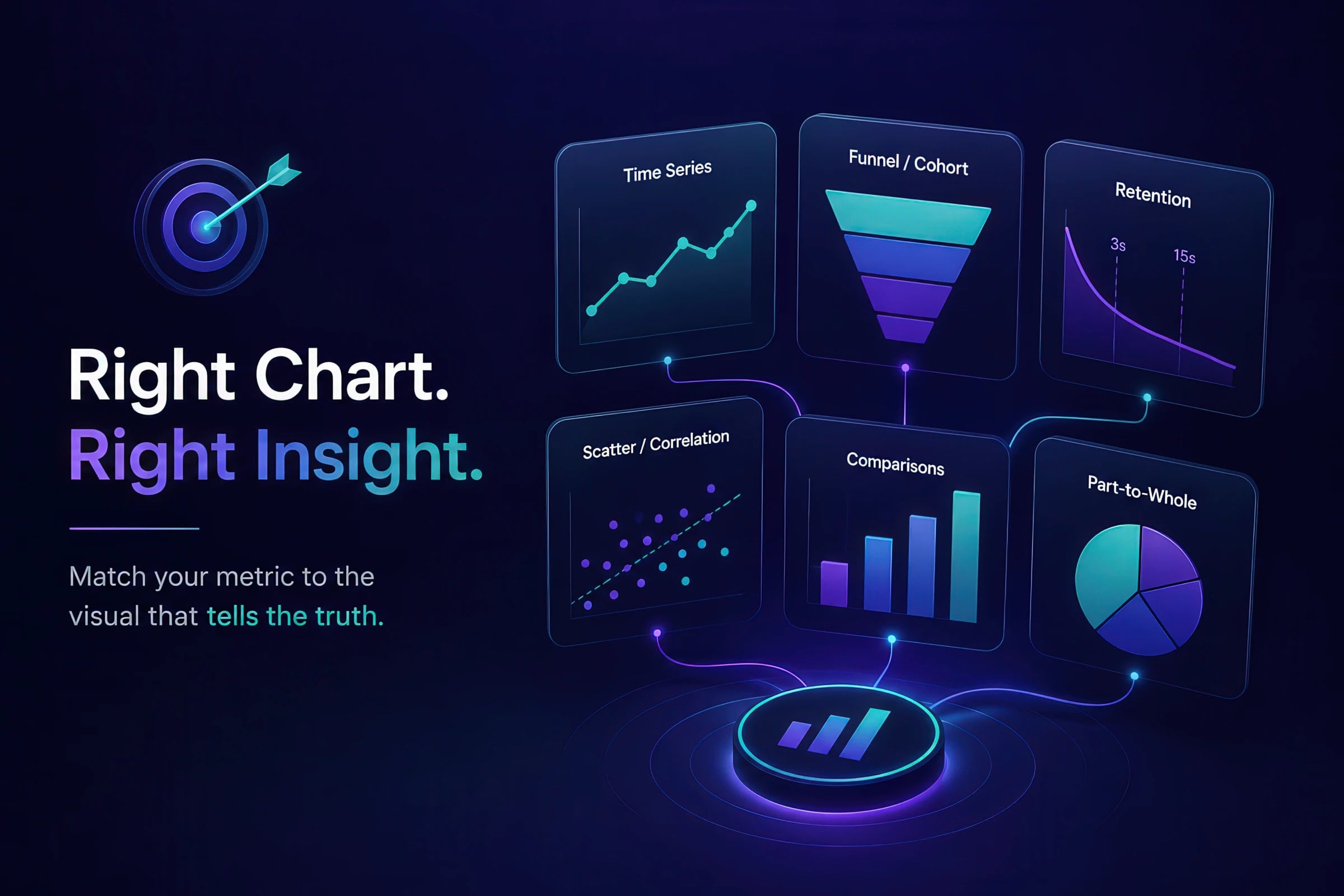
Continue reading about this topic with these recommended articles.
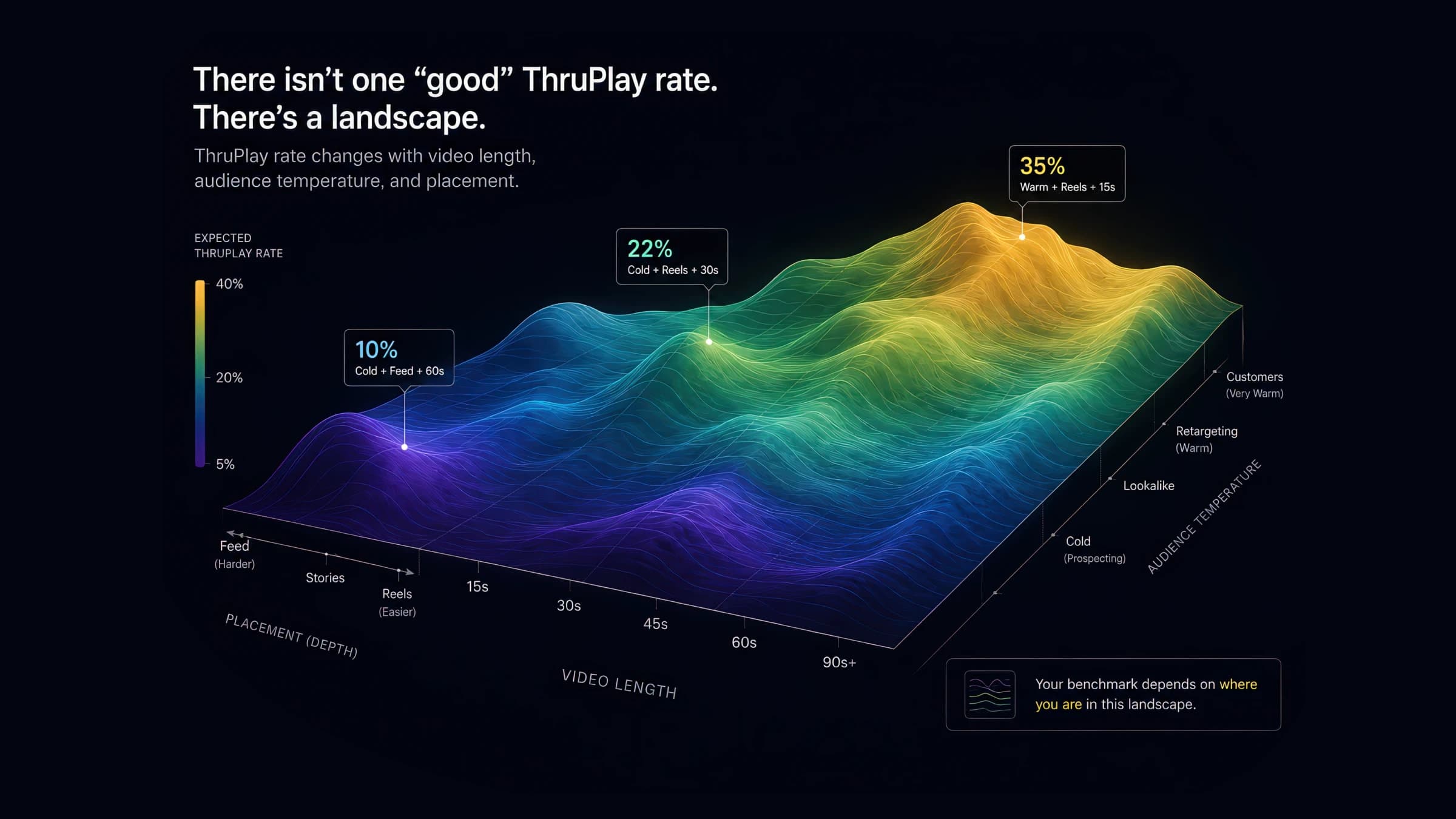
ThruPlay benchmarks shift 10–30 points by video length, placement, and audience temperature. See the full 2026 segmented data — and which number to actually cite.

AI-powered marketing tools
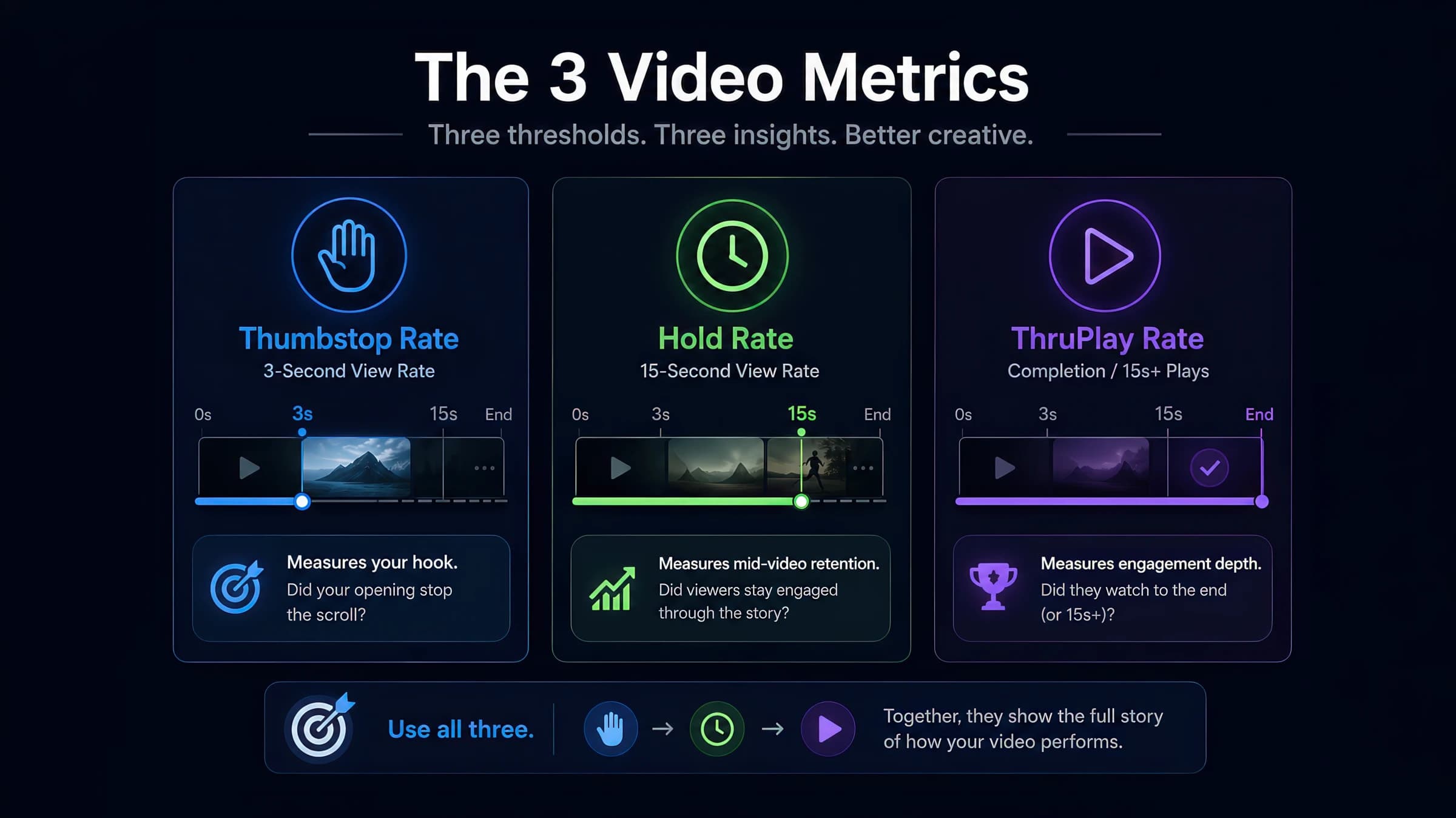
Meta Ads Manager hides the creative diagnostics that matter behind custom columns. This walkthrough shows exactly where to find thumbstop, hold, and ThruPlay — and how to read them without false conclusions.
AI-powered marketing tools

ThruPlay is a Meta-specific term, but the underlying mechanic — counting a view at a specific threshold — exists differently on TikTok, YouTube, and CTV. Here's how the metrics actually compare and where cross-platform benchmarks break down.
AI-powered marketing tools

Calculate Marketing Efficiency Ratio (MER) metrics to evaluate overall marketing performance, attributed efficiency, and new customer acquisition. Use our free MER calculator to apply multiple MER formulas (MER, aMER, nMER), analyze key efficiency metrics, and optimize your marketing ROI with data-driven insights.

Calculate and analyze your return on ad spend (ROAS) to optimize campaign performance. Get data-driven insights on advertising efficiency, revenue attribution, and budget allocation to maximize marketing ROI.

Measure the true impact of your marketing campaigns by calculating incrementality. Understand which portion of your conversions would have happened organically versus those directly caused by your marketing efforts.
Return on Ad Spend (ROAS) is a marketing performance metric that measures the revenue generated per dollar of advertising spend. Unlike ROI which considers all business costs, ROAS specifically evaluates advertising efficiency by comparing directly attributable revenue to ad spend. This metric is crucial for optimizing campaign performance, budget allocation, and overall marketing strategy.
Marketing Efficiency Ratio measures the overall effectiveness of marketing spend by comparing total revenue to total marketing costs. It provides a holistic view of marketing performance across all channels and customer types, including both direct and indirect revenue attribution. Also known as 'blended MER' since it considers all revenue rather than just attributed revenue.
Pie charts display data as slices of a circle, where each slice's size is proportional to the value it represents relative to the total. They are used to show part-to-whole relationships.
Impressions measure the total number of times an advertisement is shown to users, regardless of whether they interact with it. Each time an ad appears on a screen counts as one impression, though viewability standards may require minimum exposure duration or percentage in view to count as a valid impression.
Choose the right chart for ROAS trends, funnel drop-off, creative tests, and cohort retention. Interactive examples, research citations, and the dashboard mistakes that hide signal.
Short answer: For marketing dashboards, match the chart to the question type — line for time series (ROAS, MER), horizontal bar for ranked categories (channel CPA), funnel for stage drop-off, retention curve for video, scatter for spend-vs-efficiency trade-offs, heatmap for cohorts. Avoid pie charts beyond three or four slices, dual Y-axes without a labeled relationship, and truncated axes on spend/revenue. Explore the interactive chart matrix below.
The wrong chart type does not just look unprofessional — it hides signal. Line charts on categorical axes, pie charts with eight slices, and dual-axis spaghetti plots are how good data becomes bad budget decisions.
Every Monday standup, someone shares a slide where the chart technically renders the numbers — but encodes the wrong relationship. Platform ROAS plotted as bars across channels connected by lines. Channel mix in a pie chart with seven nearly equal slices. A "winning" creative variant declared from a 3% CPA gap on 400 impressions.
At , we see this pattern constantly: teams drowning in data but starving for decodable insight. This article is the expanded, interactive companion to our Marketing Data Visualization Guide — same decision framework, but with research citations, interactive examples you can manipulate, and the dashboard anti-patterns we audit in client reviews.
Data visualization is not decoration. Edward Tufte's data-ink ratio principle argues that every pixel should encode information — gradients, 3D effects, and decorative icons are chart junk that competes with the signal your media buyer needs in a five-second scan.
William Cleveland and Robert McGill's landmark perception study ranked how accurately humans decode visual encodings. Position along a common scale (bar length, aligned points on a line) ranks highest. Angle (pie slices) and area (bubble size) rank far lower. That hierarchy maps directly to marketing dashboards:
Before opening Looker, Triple Whale, or Northbeam, name the analytics question — not the metric name. "I need a ROAS chart" is the wrong starting point. "I need to see whether efficiency trended over the last twelve weeks" is the right one.
Use the tabs above to see how each question type maps to a chart family with live examples. The poster below is the same framework at a glance — print it, pin it in Slack, or keep it next to your BI tool. It covers five common chart decisions; the interactive explorer adds cohort heatmaps as the sixth dashboard pattern.
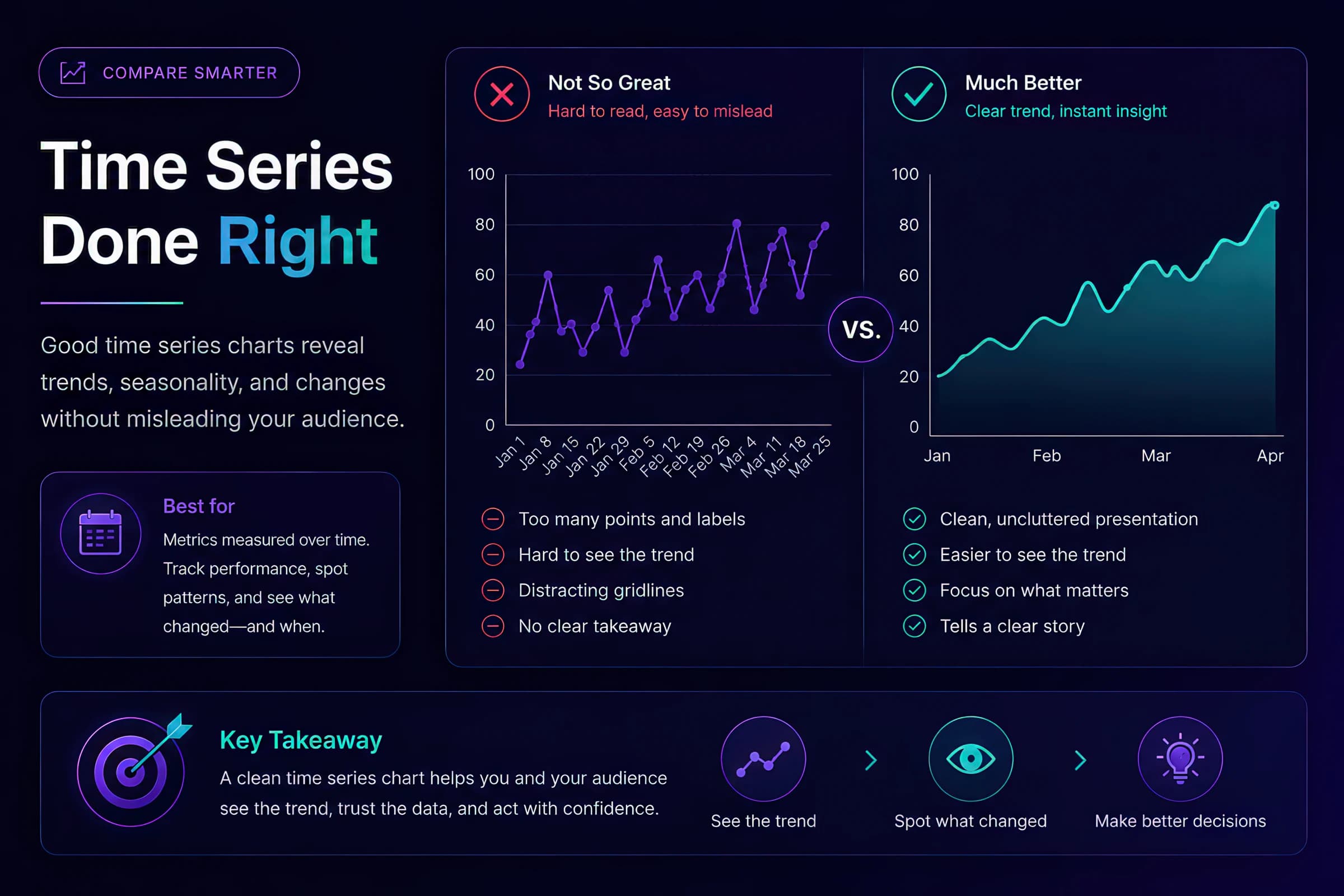
Line charts are the default for weekly business reviews — when done correctly. Plot (blended), platform-reported ROAS, and total spend on one chart with event annotations. For encoding rules, see the glossary entry.
Rules that survive executive scrutiny:
Common mistake: Plotting platform-reported ROAS and MER on the same chart without noting that MER includes organic revenue. The divergence is expected, not a bug. Our MER vs ROAS vs nMER article explains when each metric belongs on a dashboard.
Video ads generate second-by-second retention data that no summary stat can replace. A 32% tells you the hook worked; it does not tell you viewers cliffed at second 14.
Retention curves compress thousands of impressions into a single diagnostic read. The shape matters more than any single summary stat — a high thumbstop with a cliff at 14s is a pacing problem, not a hook problem.
Compare against our and when diagnosing hook vs hold issues.
Overlay multiple variants on one chart when comparing creative tests — but cap at three curves. More than three and the chart becomes unreadable in a standup. Use direct labels at the 3s, 15s, and end markers rather than a legend alone; legends force eye travel that five-second scans cannot afford.
Use our Video Drop-off Calculator to generate retention data from your own exports.
Grouped bar charts with confidence intervals are the right readout for A/B tests. Rules:
For multivariate creative tests, a feature × metric heatmap supports the creative feature model approach — but keep the primary stakeholder read simple.
Funnel charts answer: where do users drop between sequential stages? Impressions → clicks → landing views → add-to-cart → purchase. Label absolute counts at each stage, not just conversion rates.
A stage showing 2.1% click-to-purchase CVR without click volume is a classic trap: if top-of-funnel clicks fell 40% week-over-week, the rate can look stable while the business is shrinking. Always pair rates with the numerator:
Cohort charts answer a different question: how do groups acquired in different periods behave over time? A heatmap (rows = acquisition month, columns = months since acquisition, color = repeat rate) reveals retention quality shifts that blended metrics mask. If January cohorts repeat at 38% in month 3 but June cohorts repeat at 24%, your blended repeat rate can look flat while acquisition quality is deteriorating.
How to read a cohort heatmap in a weekly review:
Watch for diagonal patterns: a column that is uniformly darker across all rows signals a calendar effect (promotion, platform outage, seasonality), not a cohort-quality shift. A row that fades left-to-right while other rows stay bright signals deteriorating acquisition quality for that vintage.
Dual Y-axes are tempting when you want spend and MER on one slide. The problem is scale manipulation: readers infer correlation from line crossings that may be meaningless. Stephen Few's guidance is blunt — dual scales make it easy to tell any story you want.
Use dual Y-axes only when:
Prefer small multiples when metrics are related but not directly comparable — three aligned line charts (MER, spend, CVR) with shared X-axis but independent Y-scales communicate more honestly than one overlay. The extra vertical space is cheaper than a misallocated budget decision.
Averaging CTR across campaigns is one of the most common silent errors in marketing dashboards. Campaign A: 5.0% CTR on 2,000 impressions. Campaign B: 2.0% CTR on 80,000 impressions. The unweighted average is 3.5%. The impression-weighted average is 2.07% — barely above Campaign B alone.
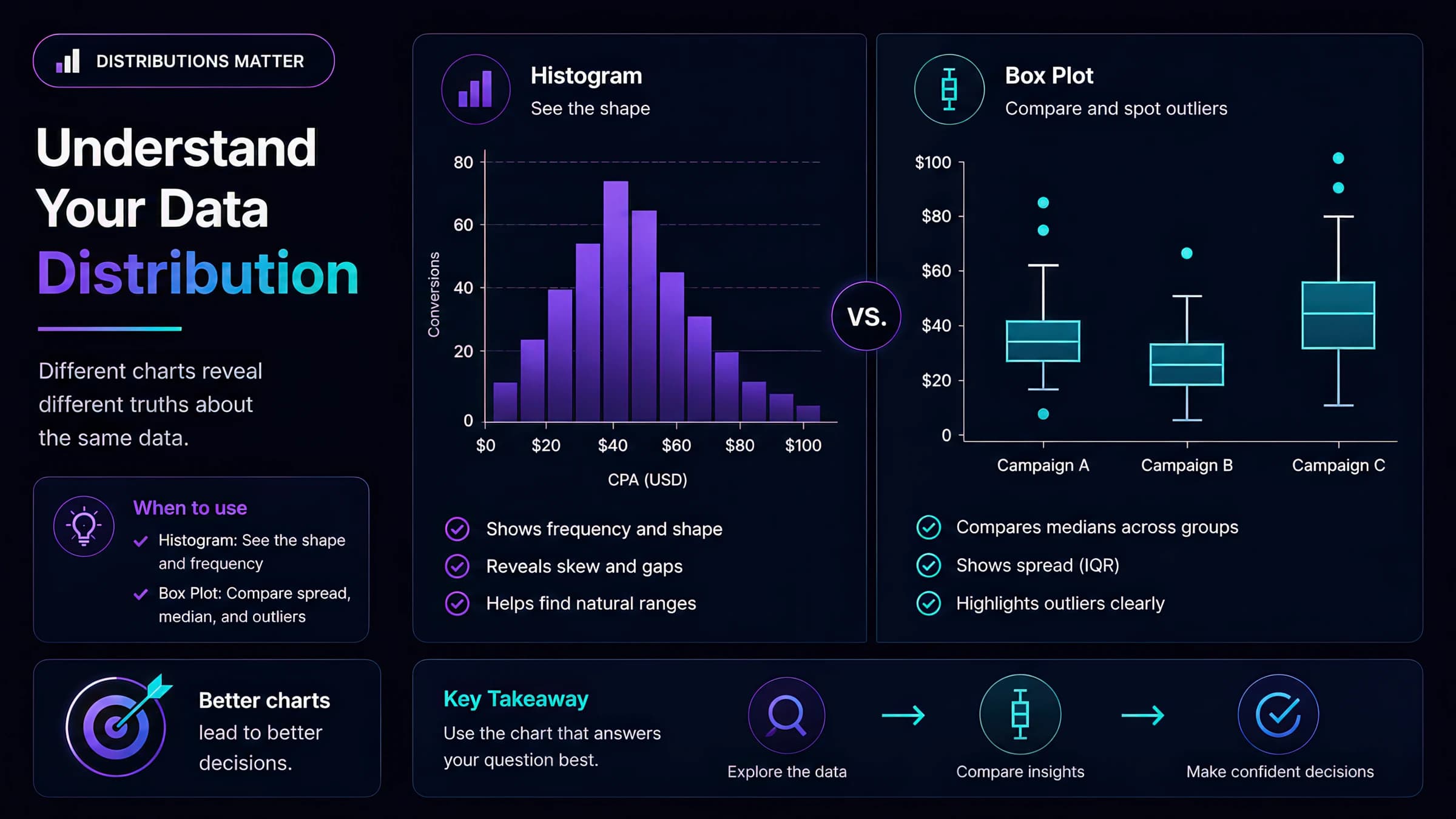
Always show volume next to rate in chart labels, tooltips, and tables. If you cannot weight the aggregate, show the distribution (histogram or box plot) instead of a single summary bar.
Where this shows up in real dashboards:
The fix is not always a weighted formula in the BI tool — sometimes the honest read is a distribution chart that shows whether your "average" hides a bimodal split (two clusters of high and low performers).
Pie charts are seductive because they look like "share." Research consistently shows humans compare angles poorly but compare bar lengths accurately.
When pie charts are acceptable: 2–4 slices summing to 100%, and precise comparison is not required — e.g., "paid vs organic revenue share this month." For channel mix, budget allocation, or attribution splits with 5+ categories, use a sorted horizontal bar chart.
Truncated axes are especially dangerous on CPA and efficiency metrics where a $3 swing can look like a 40% crisis when the Y-axis starts at $44 instead of zero.
Stephen Few's dashboard design principles reinforce Tufte: reduce non-data ink, use consistent color semantics, and design for the decision the viewer must make — not for the data you have.
Treat chart styling as analysis quality, not decoration. A correct chart that is hard to read will still produce bad decisions in a weekly growth meeting.
These standards are deliberately conservative: the point is to make the trade-off obvious before anyone asks a data scientist to explain the screenshot.
Dashboards exist to change behavior — reallocate budget, pause a creative, escalate an incrementality test. If the chart type does not match the decision, the dashboard becomes wallpaper.
Explore per-chart definitions in our Charts Glossary — each entry covers when to use the type and common marketing use cases.
Further reading
Use for channel CPA rankings, variant thumbstop comparisons, and any 'which is bigger?' question.
Prefer separate aligned charts over dual Y-axes when overlaying unrelated metrics like spend and MER.
Reserve for 2–4 slices where precise comparison is not required, or add a sorted bar as the primary read.
This guide complements our data storytelling article (narrative interpretation) and statistical noise article (when differences are real vs random). Visualization picks the encoding; those articles cover interpretation and significance.
Match the metric question to the visualization type before opening your BI tool. An interactive explorer loads when JavaScript is available.
| Metric question | Best chart | Marketing example |
|---|---|---|
| How did efficiency trend over time? | Line chart | Weekly MER, blended CAC, platform ROAS |
| Which channel or creative wins? | Horizontal bar chart | CPA by channel, thumbstop by variant |
| Where does the funnel leak? | Funnel chart | Clicks → landing → ATC → purchase drop-off |
| How does audience attention decay? | Retention curve | Video viewer % at each second |
| What is the spend vs return trade-off? | Scatter plot | Spend (X) vs iROAS (Y) by campaign |
| How do acquisition cohorts behave? | Cohort heatmap | Month-0 to month-6 repeat purchase rate |
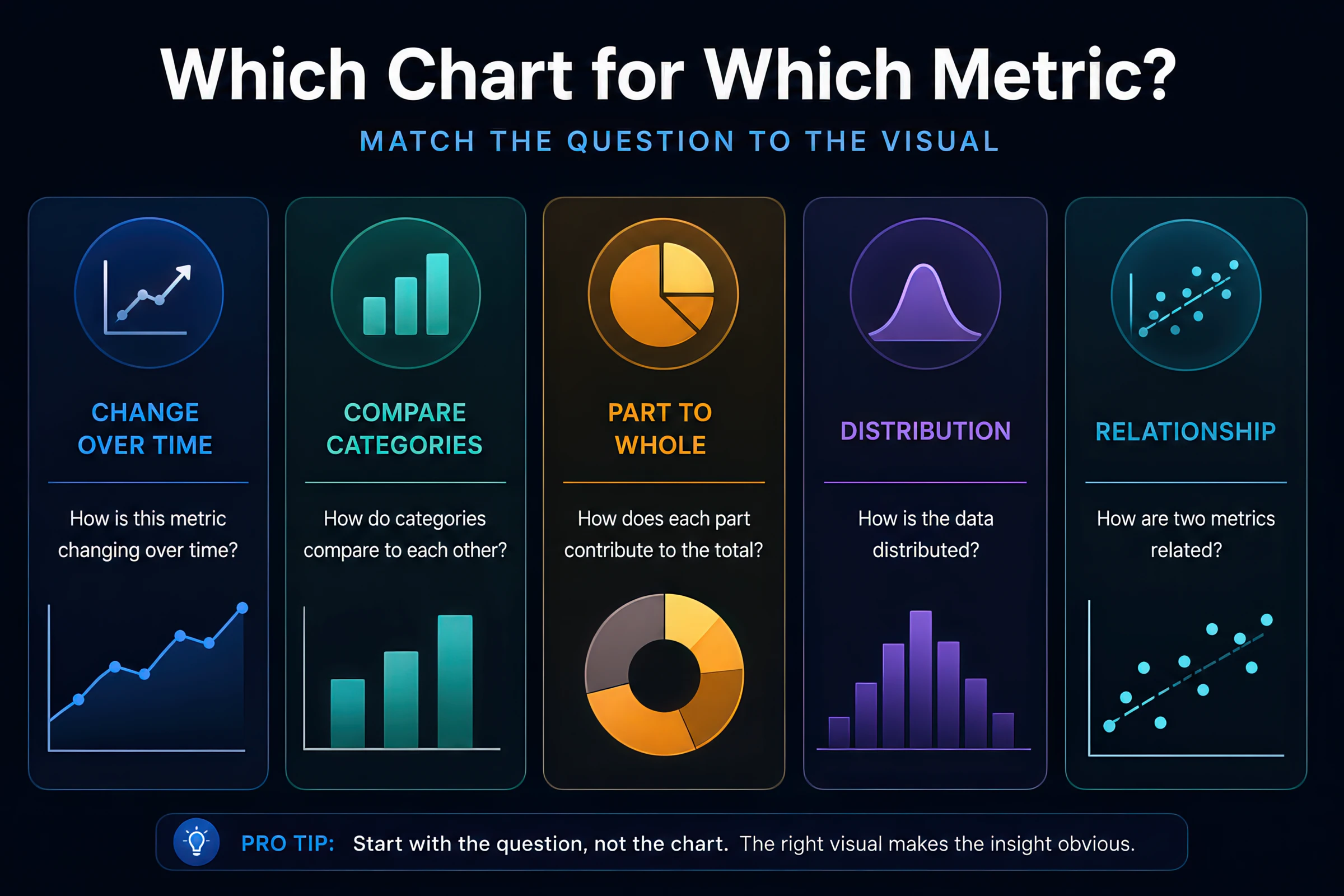
Metric question | Best chart | Marketing example |
|---|---|---|
| How did efficiency trend over time? | Line chart | Weekly MER, blended CAC, platform ROAS |
| Which channel/creative wins? | Horizontal bar chart | CPA by channel, thumbstop by variant |
| Where does the funnel leak? | Funnel / waterfall | Landing → ATC → purchase drop-off |
| How does retention decay? | Retention curve | Video viewer % at each second |
| What is the spend vs return trade-off? | Scatter plot | Spend (X) vs iROAS (Y) by campaign |
| How do cohorts behave over time? | Cohort heatmap | Month-0 to month-6 repeat purchase rate |
| What share does each channel hold? | Stacked bar (≤5 categories) | Revenue mix by channel |
| Did the test reach significance? | Bar + error bars | Variant CPA with 95% CI |
Tap each section for marketing-specific guidance
Use when the X-axis is ordered time — daily spend, weekly MER, cumulative impressions. Lines imply continuity; never connect categorical labels (channels, ad names) with lines. Limit to 3–4 series per chart. Annotate creative refreshes, budget changes, and promotional periods. See the line chart glossary entry for encoding rules.
Use horizontal bars when labels are long (channel names, creative IDs) or when ranking matters. Sort by value, not source order. Always start the value axis at zero for absolute metrics (spend, revenue, conversions). Include volume (impressions, conversions) in labels or a companion column. Compare horizontal bar vs vertical bar trade-offs in the glossary.
Show stage-to-stage conversion with absolute counts in labels — "2.1% CVR" without volume hides a collapsed top of funnel. Do not use funnels for non-sequential comparisons (channel mix) or creative A/B tests. See the entry for stage-labeling rules.
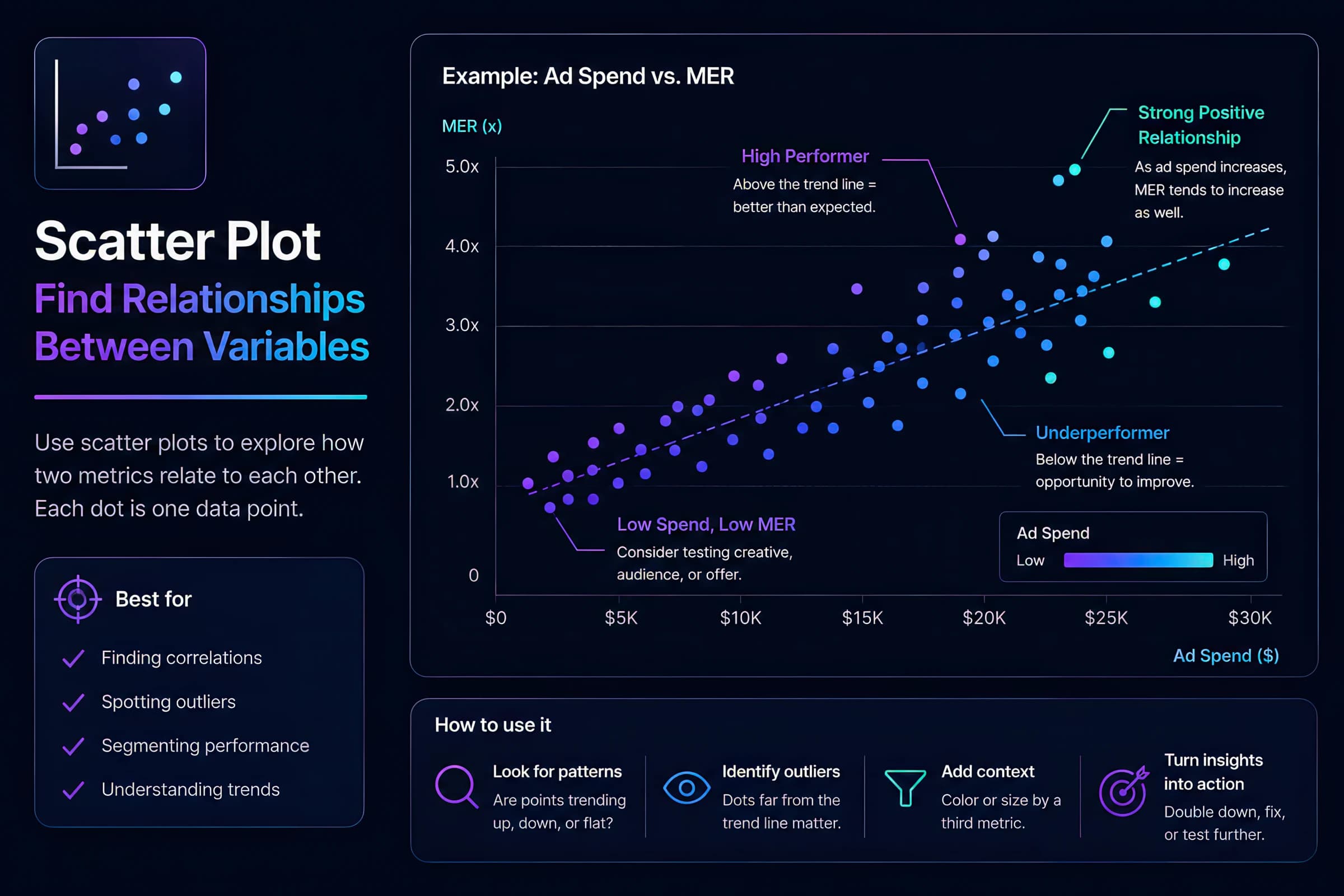
Reveal efficiency trade-offs: spend vs iROAS, CPM vs CTR, frequency vs CPA. Each point is an entity (campaign, ad set, creative). Bubble size can encode a third variable (volume), but area is harder to decode than position — use sparingly. The glossary covers when position beats bubble area.
Rows = cohorts (acquisition month), columns = periods since acquisition, color = repeat rate or LTV. Also useful for creative feature × metric matrices in multivariate analysis. Keep color scales perceptually uniform and label cell values for accessibility. See for cohort labeling patterns.
One chart, four weeks, three lines: MER (blended), Meta platform ROAS, and total spend. Annotate creative launches. If MER and platform ROAS diverge while spend is flat, you are likely over-crediting platforms — time for an incrementality check.
Plot % viewers by second. Mark 3s (thumbstop), 15s (ThruPlay), and video end (VCR) to diagnose hook and pacing issues.
| Second | Viewers % |
|---|---|
| 0s | 100% |
| 3s | 67% |
| 6s | 61.6% |
| 9s | 56.2% |
| 12s | 50.8% |
| 15s | 38% |
| 18s | 26.2% |
| 21s | 22% |
| 24s | 17.8% |
| 27s | 13.6% |
| 30s | 9.4% |
Pattern | Seconds | Likely cause | Next action |
|---|---|---|---|
| Cliff at hook | 0–3s | Weak opening frame, slow product reveal | Test new hooks |
| Plateau then mid-video cliff | 12–15s | Message density, weak transition | Edit pacing; compare hold benchmarks |
| Gradual slope | 30s+ | Normal for long-form storytelling | Compare to category VCR norms |
| Steady retention through hold window | 25s+ | Message density matches audience intent | Scale spend; isolate what changed vs prior variants |
Use grouped bars with 95% confidence intervals. Overlapping intervals mean you cannot declare a winner yet.
| Variant | CPA | 95% CI | Impressions |
|---|---|---|---|
| Hook A — UGC | $34.2 | $31.8 – $36.9 | 84,200 |
| Hook B — Demo | $36.8 | $33.9 – $39.7 | 79,400 |
| Hook C — Problem | $38.5 | $35.1 – $42.1 | 62,100 |
| Control | $41.2 | $37.6 – $45.3 | 91,800 |
Mid-funnel volume
Bottom of funnel volume
585 ÷ 27,857 clicks — not impression CVR
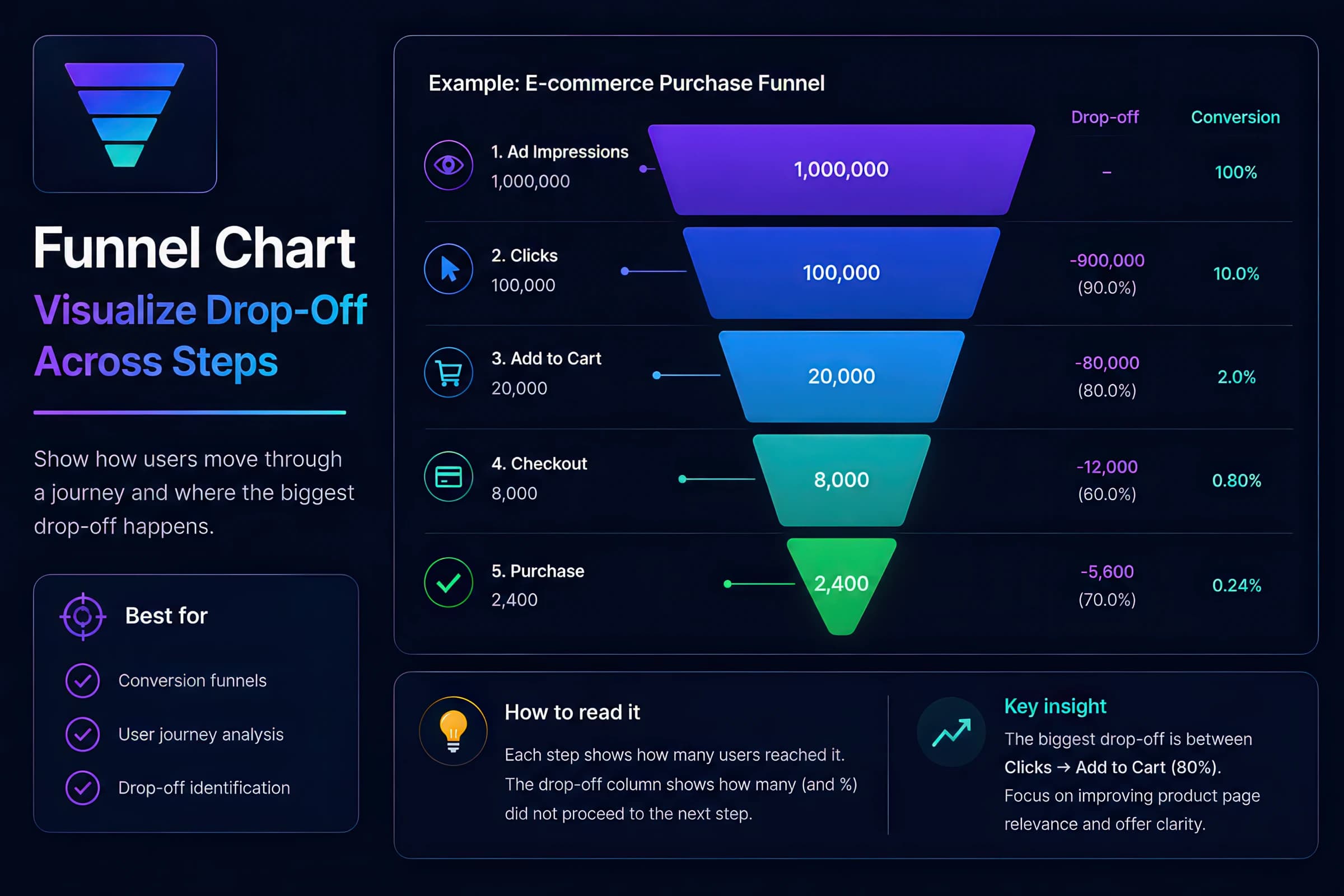
Do not use a funnel chart for non-sequential comparisons (channel mix), time trends, or creative variant tests. Each of those maps to a different chart family in the matrix above.
Spend (left) and MER (right) on one chart — crossings look meaningful even when the metrics are unrelated.
Same metrics as three aligned charts — trends stay visible without forcing a spurious correlation read.
Method | Formula | Result | When it misleads |
|---|---|---|---|
| Unweighted mean | (5.0% + 2.0%) / 2 | 3.5% CTR | Every campaign counts equally regardless of volume |
| Weighted mean | (100 + 1600) / 82000 | 2.07% CTR | Reflects actual impression exposure |
Pie charts with 6+ slices make precise comparison difficult. A sorted horizontal bar chart communicates share more accurately.
| Channel | Revenue share |
|---|---|
| Meta | 34% |
| 22% | |
| TikTok | 18% |
| YouTube | 12% |
| 8% | |
| Affiliate | 6% |
Common mistakes we flag in analytics reviews — avoid these patterns.
Switch to a sorted horizontal bar chart. Readers cannot compare angles accurately across many slices.
Channels are not continuous — connecting them with lines implies a trend that does not exist. Use bars.
Dual axes invite spurious correlation when scales are manipulated. Use small multiples or annotate the intended relationship.
Makes 3% swings look like crises. Use the interactive demos below to compare the same series on honest vs truncated scales.
Average CTR across campaigns ignores impression volume. Weight by impressions or show volume-weighted aggregates.
Teams misattribute creative refreshes vs budget changes. Mark business events on the chart.
ROAS alone without MER, incrementality, or LTV:CAC is incomplete. Pair efficiency with volume and statistical context.
Weekly revenue varies only 2.0% ($511.7k–$521.9k), but a truncated Y-axis can make the same series look like a crisis. Start absolute metrics like spend and revenue at zero.
| Week | Revenue ($k) |
|---|---|
| W1 | 513.2 |
| W2 | 511.7 |
| W3 | 514.5 |
| W4 | 514.6 |
| W5 | 516.8 |
| W6 | 517.3 |
| W7 | 520.7 |
| W8 | 521.9 |
Truncating the Y-axis on CPA ($48–$52) exaggerates a modest shift. Zero-based axes preserve honest proportions.
| Campaign | CPA (USD) |
|---|---|
| Campaign A | $48 |
| Campaign B | $50 |
| Campaign C | $52 |
Write the analytics question in plain English before touching a BI tool.
Example: "Did blended MER trend down after we paused prospecting?" — not "I need a ROAS chart."
Time → line. Categories → bar. Stages → funnel. Relationship → scatter. Cohorts → heatmap.
If two chart types both fit, pick the one with fewer visual elements and always pair rates with volume context.
Pair rates with impressions/conversions. Add CIs for test readouts.
A 45% thumbstop on 800 impressions is not comparable to 32% on 80,000 — label sample sizes directly on the chart.
Mark creative launches, budget shifts, and platform changes on time series.
Without annotations, teams misattribute spikes to creative when the cause was spend reallocation or a promo window.
Use the Chart Mockup Generator to align stakeholders on layout before wiring live data.
Five minutes of mockup alignment saves hours of rebuilding the wrong chart type after data is wired.
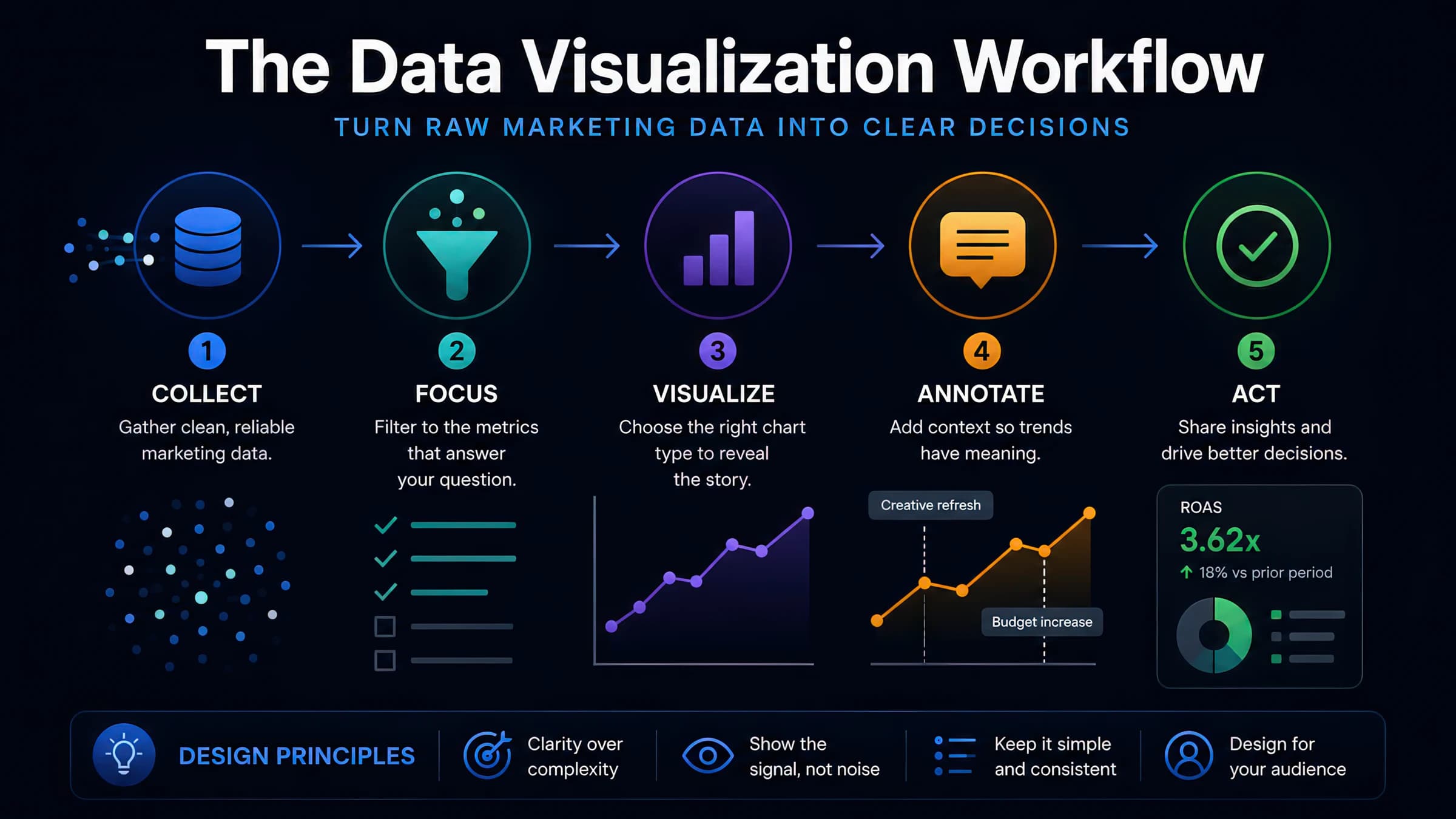
Time, comparison, funnel, retention, relationship, or cohort — each maps to a different encoding.
Line = time. Bar = categories. Funnel = sequential stages. Scatter = trade-offs. Heatmap = cohorts and matrices.
Creative refreshes, budget changes, and promotions explain spikes better than speculation.
Rates without impressions and winners without confidence intervals are noise dressed as insight.
Pick one chart your team reviews weekly. Write the analytics question it answers. If the chart type does not match the question type in the matrix above, rebuild it before the next meeting. The five minutes of rework saves hours of misattributed narrative.

