Stay Updated
Get the latest insights on creative testing and ad optimization delivered to your inbox.
Get the latest insights on creative testing and ad optimization delivered to your inbox.
Continue reading about this topic with these recommended articles.
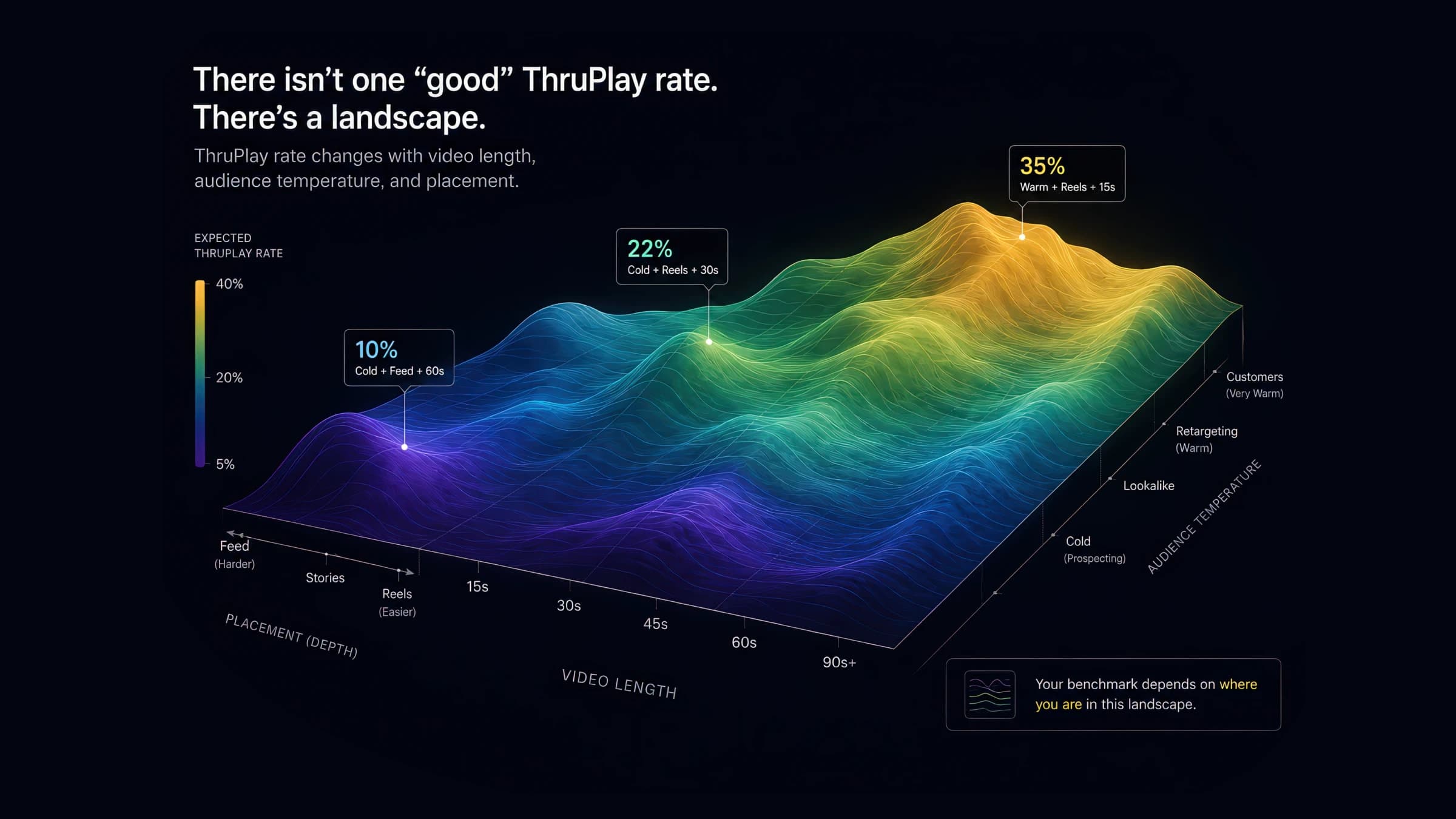
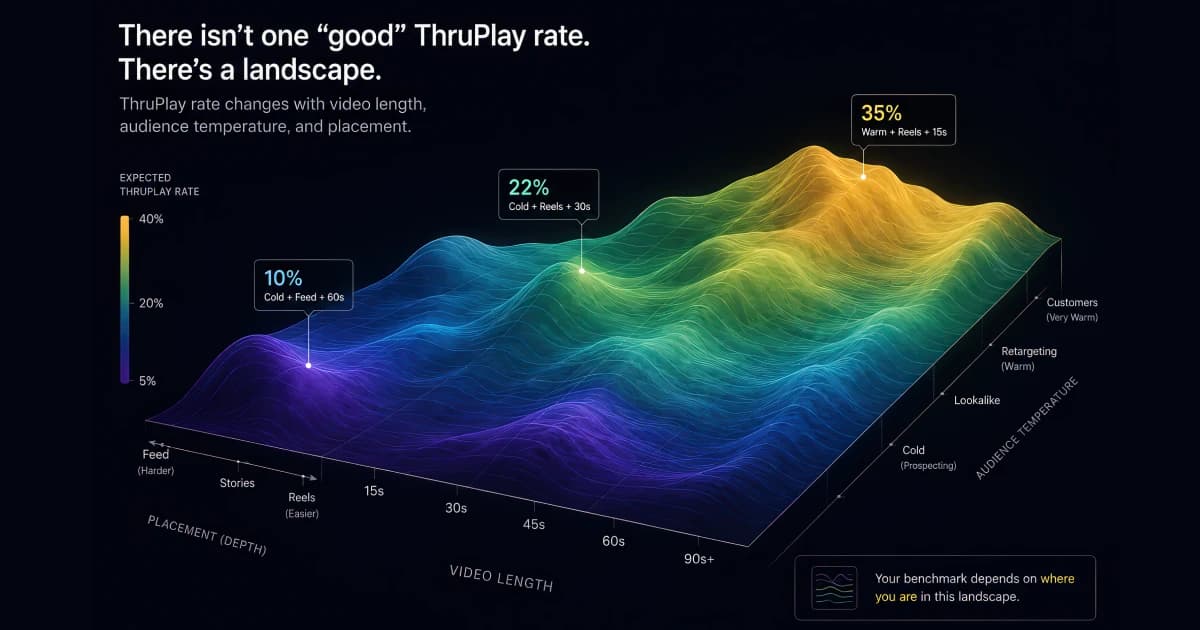
ThruPlay benchmarks shift 10–30 points by video length, placement, and audience temperature. See the full 2026 segmented data — and which number to actually cite.

AI-powered marketing tools
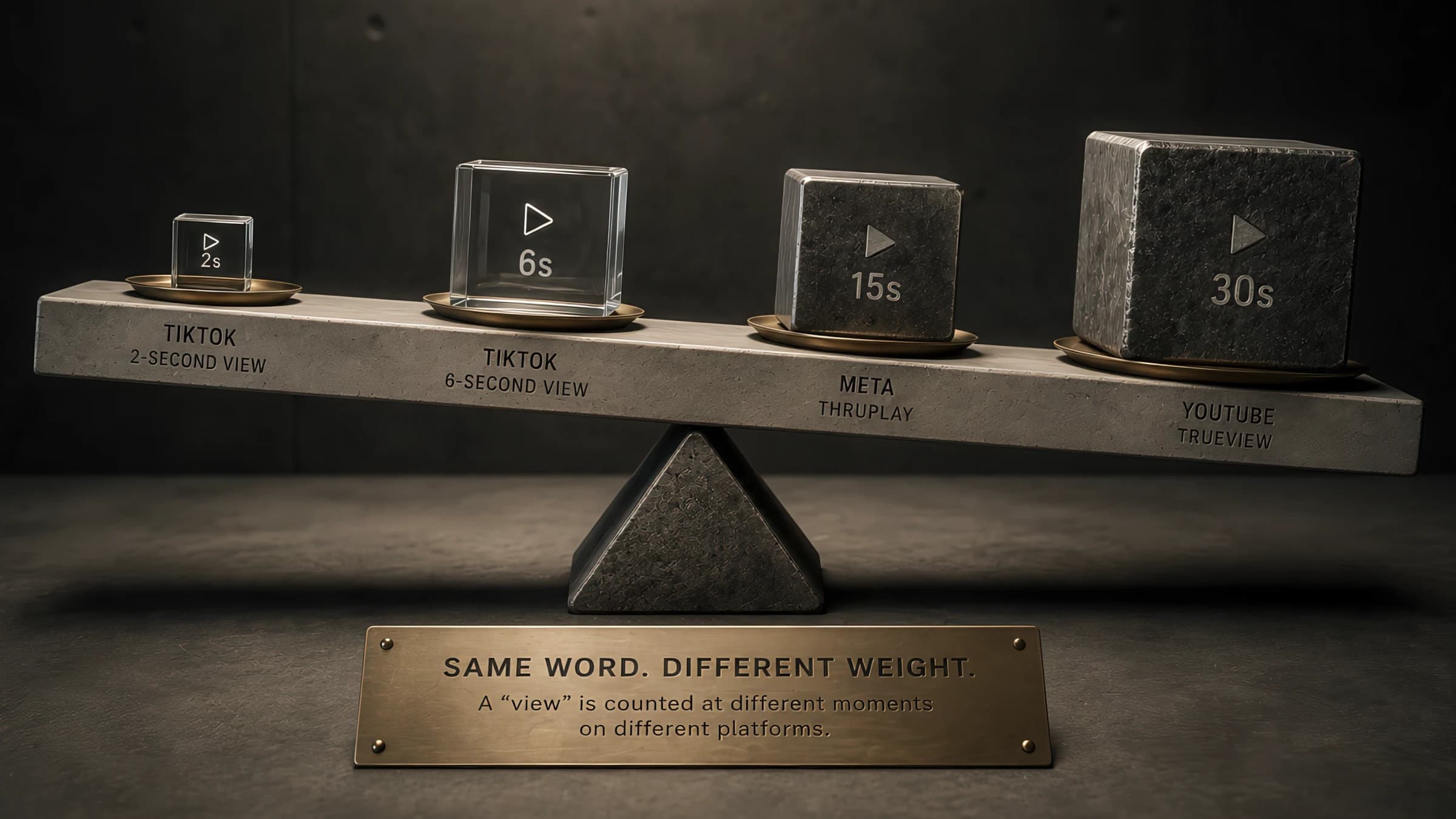
ThruPlay is a Meta-specific term, but the underlying mechanic — counting a view at a specific threshold — exists differently on TikTok, YouTube, and CTV. Here's how the metrics actually compare and where cross-platform benchmarks break down.
AI-powered marketing tools
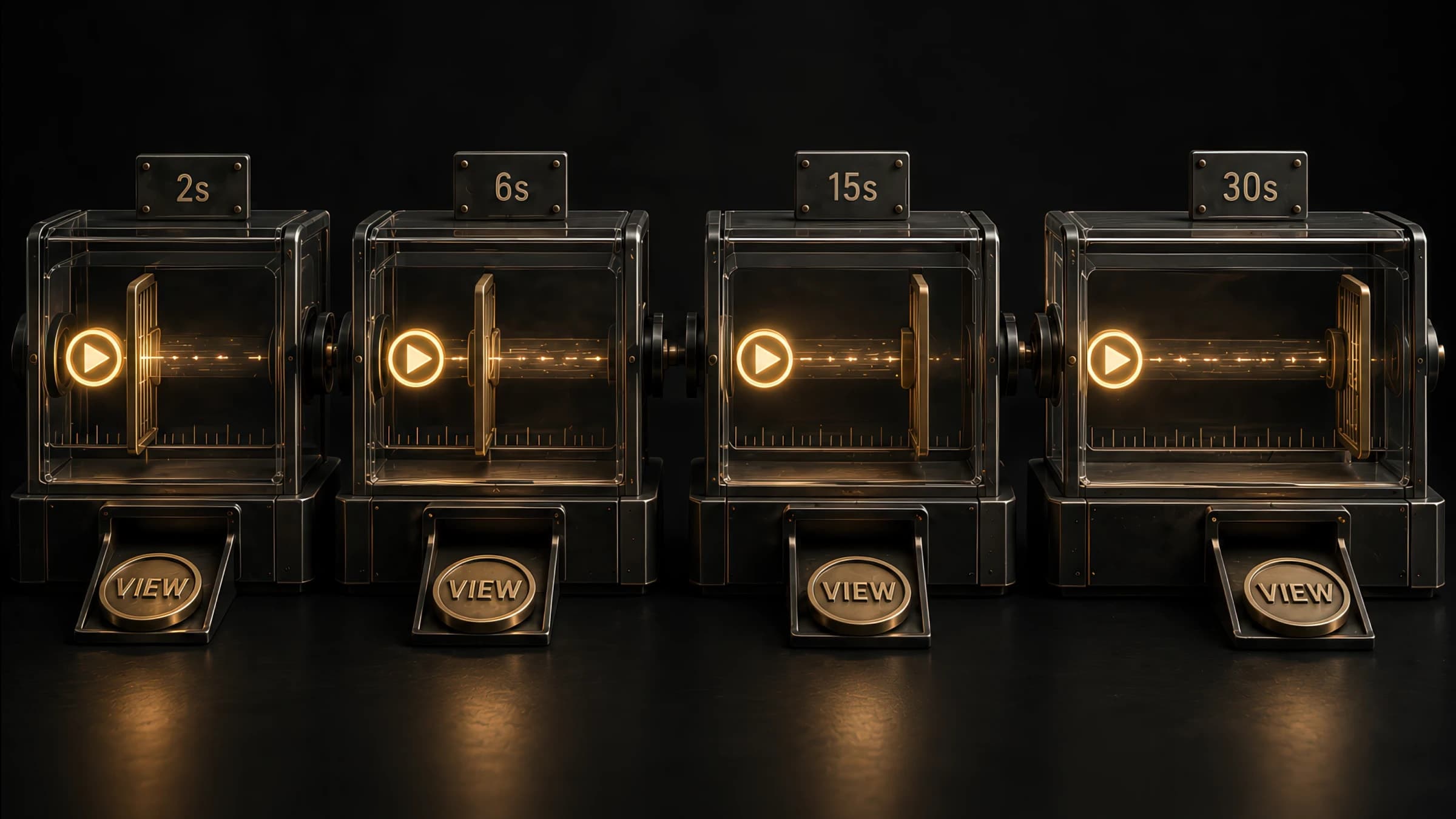
Step-by-step formulas for the three core video-engagement metrics — Video Completion Rate, ThruPlay Rate, and View-Through Rate — with worked examples and the platform-specific quirks that trip up cross-platform comparisons.
AI-powered marketing tools

Free Facebook post mockup generator for client decks, campaign previews, and social-proof creative. Customize the page name, copy, reactions, comments, shares, and verified badge — export feed-ready Facebook visuals in seconds without Photoshop.

Free Instagram post mockup generator for client decks, campaign previews, and social-proof creative. Customize username, caption, engagement metrics, verified badges, and theme — export feed-ready visuals in seconds without Photoshop.
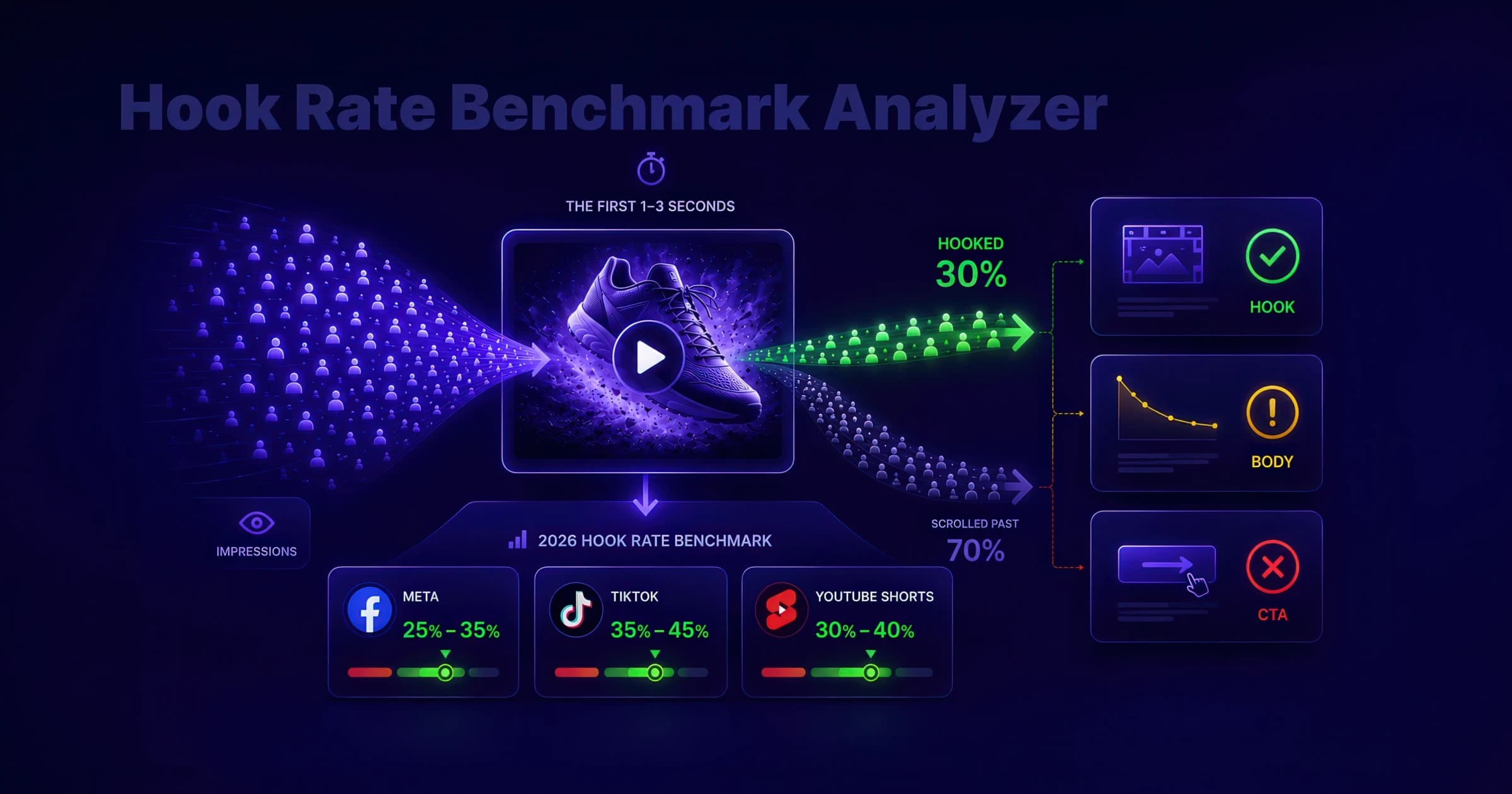
Calculate hook rate (thumbstop rate) for Meta, TikTok, and YouTube Shorts, compare it to 2026 benchmark ranges, and diagnose whether your video ad needs a stronger first frame, tighter body, or clearer CTA.
Meta Ads Manager is the comprehensive advertising platform for creating, managing, and analyzing campaigns across Facebook, Instagram, Messenger, and WhatsApp. It provides granular control over campaign objectives, audience targeting, bidding strategies, and creative assets while offering real-time performance metrics and optimization tools. The platform supports diverse ad formats from basic image ads to sophisticated dynamic campaigns, with built-in A/B testing capabilities and automated optimization features.
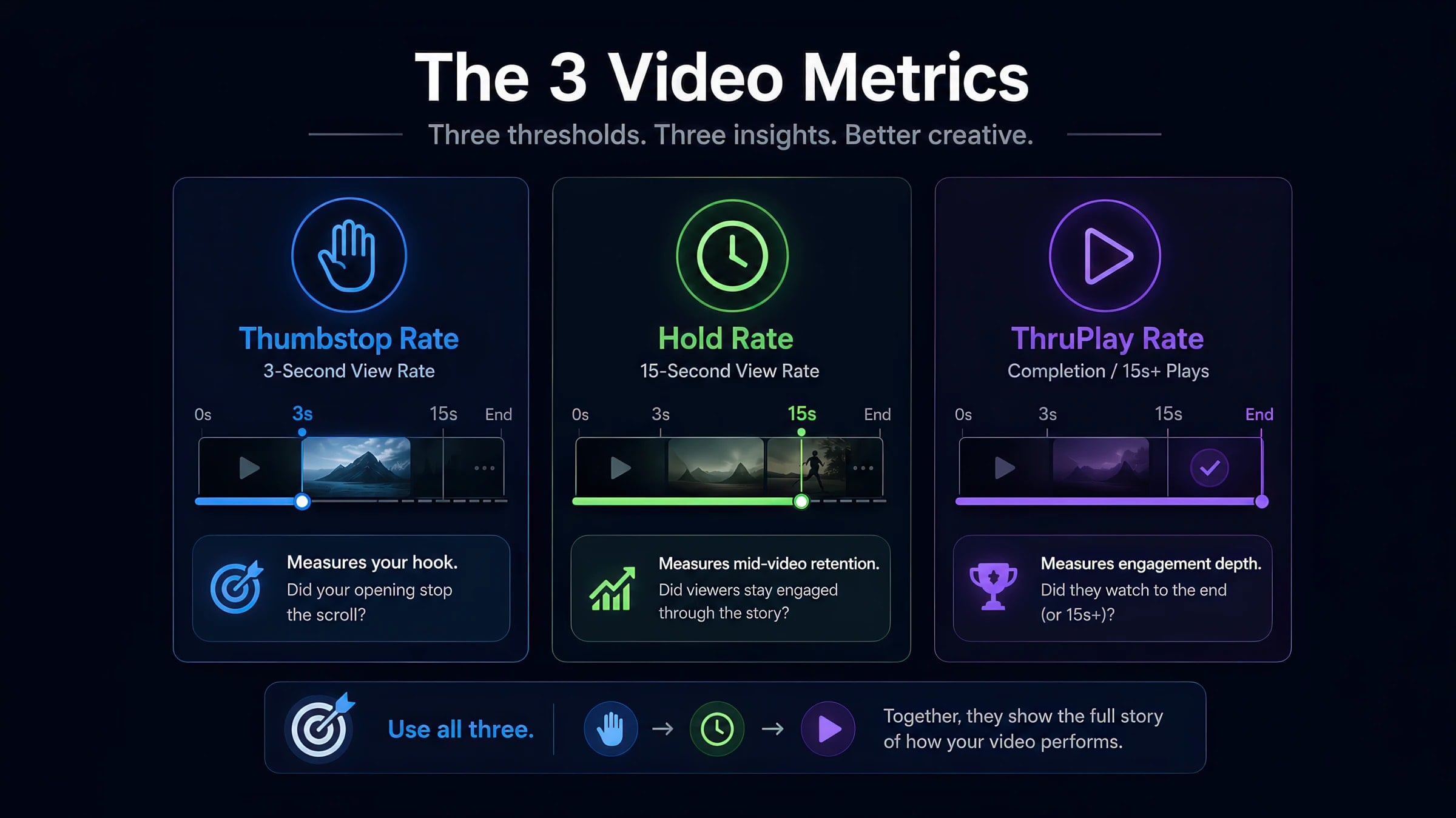
Thumbstop Rate measures the effectiveness of creative in capturing attention by tracking the percentage of users who stop scrolling to engage with the content in their feed for a meaningful duration, typically 2-6 seconds depending on the platform.
ThruPlay is Meta's standard video-view event, counted when a viewer watches a video to 15 seconds — or to completion if the video is shorter. It is both a reported metric and a biddable optimization/billing event, and it replaced Meta's retired 10-second video view. ThruPlays ÷ video plays gives the ThruPlay Rate; spend ÷ ThruPlays gives Cost Per ThruPlay. The term is Meta-specific.
Impressions measure the total number of times an advertisement is shown to users, regardless of whether they interact with it. Each time an ad appears on a screen counts as one impression, though viewability standards may require minimum exposure duration or percentage in view to count as a valid impression.
Meta Ads Manager hides the creative diagnostics that matter behind custom columns. This walkthrough shows exactly where to find thumbstop, hold, and ThruPlay — and how to read them without false conclusions.
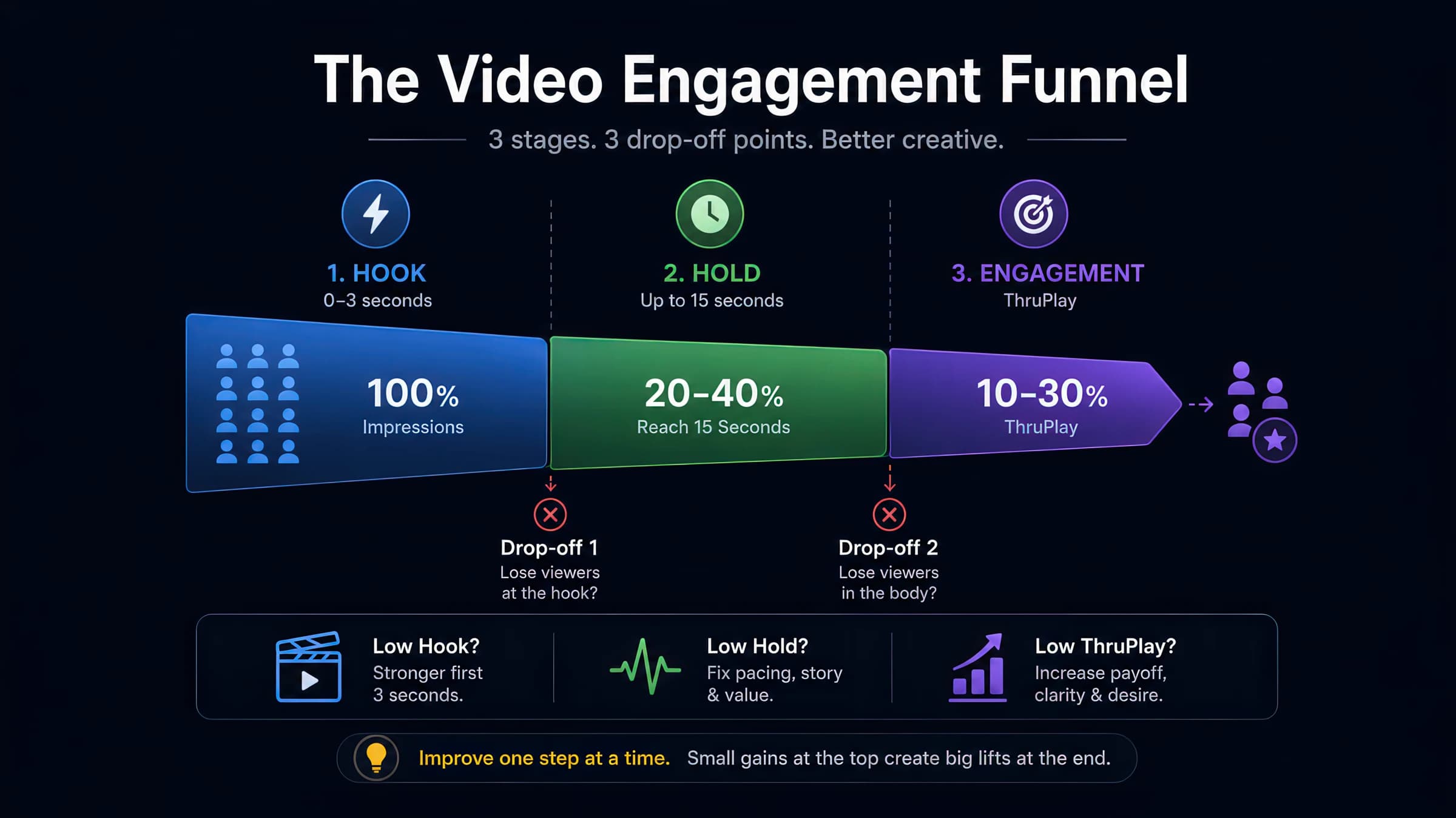
Short answer: add 3-second video views, ThruPlays, video plays, and impressions as custom columns in Ads Manager, then compute thumbstop (3s ÷ impressions), hold (15s ÷ 3s), and ThruPlay rate (ThruPlays ÷ video plays) — segmented by placement and creative length. The formulas and benchmark anchors are below, and you can score your numbers instantly against 2026 cited ranges.
Most performance teams open Meta Ads Manager, sort by ROAS, and kill "losers" without ever pulling the video engagement columns that explain why an ad failed. Meta surfaces spend and conversion metrics by default; thumbstop, hold, and ThruPlay live behind Customize columns — and each uses a slightly different denominator, which is how two operators can argue about the same creative with both convinced they are right.
This walkthrough shows where to click, what to export, and how to read the three thresholds in sequence — hook (3 seconds), body retention (15 seconds), and ThruPlay — without the segmentation mistakes that make benchmark comparisons meaningless. For the full cited range tables, see the Video Creative Metrics Benchmarks 2026 guide and our 2026 ThruPlay benchmarks deep dive.
In Ads Manager → Ads (creative-level view works best for diagnostics):
Click Columns → Customize columns. Save as a preset named 'Video diagnostics' so media buyers reuse the same view.
Search and add: Impressions, Video plays, 3-second video views, 15-second video views, ThruPlays, Video watches at 25%, 50%, 75%, 100%, Link clicks, Amount spent.
Meta sometimes exposes pre-built rate fields; when absent, export to spreadsheet and compute manually (next section).
Use Breakdown → Placement (Feed, Reels, Stories) and filter to one video length bucket per comparison. Mixed-length campaigns make aggregate rates meaningless.
Save the preset. The goal is repeatable creative reviews — not one-off exports when an ad "feels" weak.
Meta does not ship thumbstop or hold as default columns. Vaizle and Madgicx both document the same setup path — Columns → Customize columns → Create custom metric:
Use Number format (not Percentage) for these custom metrics, or Ads Manager double-multiplies the ratio[4]. The ThruPlay-funnel hold (ThruPlays ÷ 3-second views) reads ~40–50% — materially higher than the 15s÷3s definition — for the same creative[5].
Meta's raw columns map to practitioner metrics like this:
A ThruPlay counts when a viewer watches a video to completion (under 15 seconds) or reaches at least 15 seconds of view time (for longer videos). It does not count ad clicks — a widespread misconception[1]. Practitioners compute thumbstop as 3-second views ÷ impressions — Meta exposes the raw column but not always the rate[2]. On the 15s÷3s definition, the cold-traffic hold band is ~15–25%, with a kill floor below ~10%[6].
Use the free Hook Rate Benchmark and ThruPlay Rate Benchmark tools to compare your computed rates against 2026 segmented ranges — or see the consolidated Video Creative Metrics Benchmarks 2026 guide. When you need the efficiency view of the same views, run spend through the free CPV calculator.
Public benchmarks fall apart when you skip segmentation. Before declaring a creative "bad," lock:
Our ThruPlay Rate Interpretation guide walks the diagnostic sequence when aggregate numbers look fine but ROAS does not.
Video diagnostics tell you where to iterate; they do not replace experiment design. When you promote a hook variant:
Hold rate is one number; the per-second drop-off curve is the diagnostic. adlibrary.com describes three recurring shapes:
Pull video_p25, p50, p75, and p100 watched actions from Ads Manager (or your analytics stack) and chart second-by-second drop-off. Two ads with identical 18% hold can need opposite edits — optimize the curve, not the aggregate.
These anchors come from the same cited sources as our benchmark research hub — always compare within your segment:
Custom metric | Formula | Format tip |
|---|---|---|
| Hook rate | 3-second video views ÷ impressions | Use Number format; multiply × 100 in the formula if you want a percent display |
| Hold rate (15s retention) | 15-second video views ÷ 3-second video views | Same Number-format rule; this is the DTC body-retention definition |
| Hold rate (ThruPlay funnel) | ThruPlays ÷ 3-second video views | Vaizle’s alternate definition — reads ~2× higher because ThruPlay also counts sub-15-second completions, not just raw 15-second views |
Metric | Formula | What it diagnoses |
|---|---|---|
| Thumbstop rate | 3-second video views ÷ impressions | Hook / scroll-stop strength |
| Hold rate (15s retention) | 15-second video views ÷ 3-second video views | Body retention among hooked viewers — cold band ~15–25% |
| Hold rate (ThruPlay funnel) | ThruPlays ÷ 3-second video views | Alternate vendor definition — often ~40–50% on the same ad |
| ThruPlay rate |
| ThruPlays ÷ video plays |
| Meta engagement-depth ranking (completion or 15s — not clicks) |
Thumbstop below ~15% cold Feed
Action
Fix first 1–3s
Do not re-cut the body until the opening frame clears benchmark.
Thumbstop OK, 15s hold weak
Action
Tighten 3–15s
Pacing, proof, and dead air between hook and payoff. Below ~10% at 15s÷3s is a kill signal on cold traffic.
Hold OK, ThruPlay weak vs peers
Action
Segment placement
Aggregate ThruPlay hides Reels vs Feed splits; sub-15s completions can inflate ThruPlay.

