Stay Updated
Get the latest insights on creative testing and ad optimization delivered to your inbox.
Get the latest insights on creative testing and ad optimization delivered to your inbox.
Continue reading about this topic with these recommended articles.
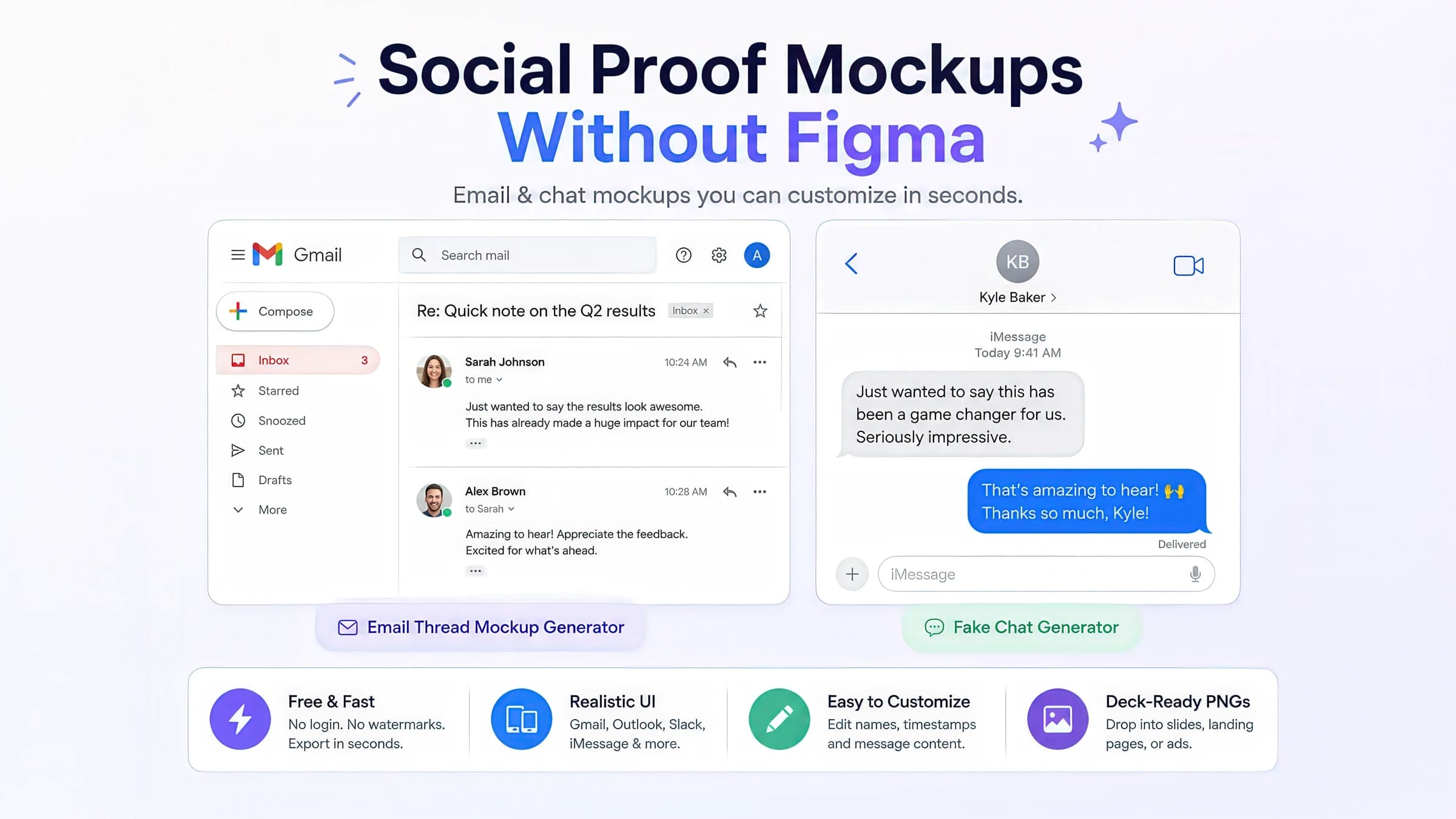
Case-study decks need inbox and chat proof fast. Use free email-thread and fake-chat generators to build Gmail, Outlook, Slack, and iMessage screenshots — no design file required.

AI-powered marketing tools
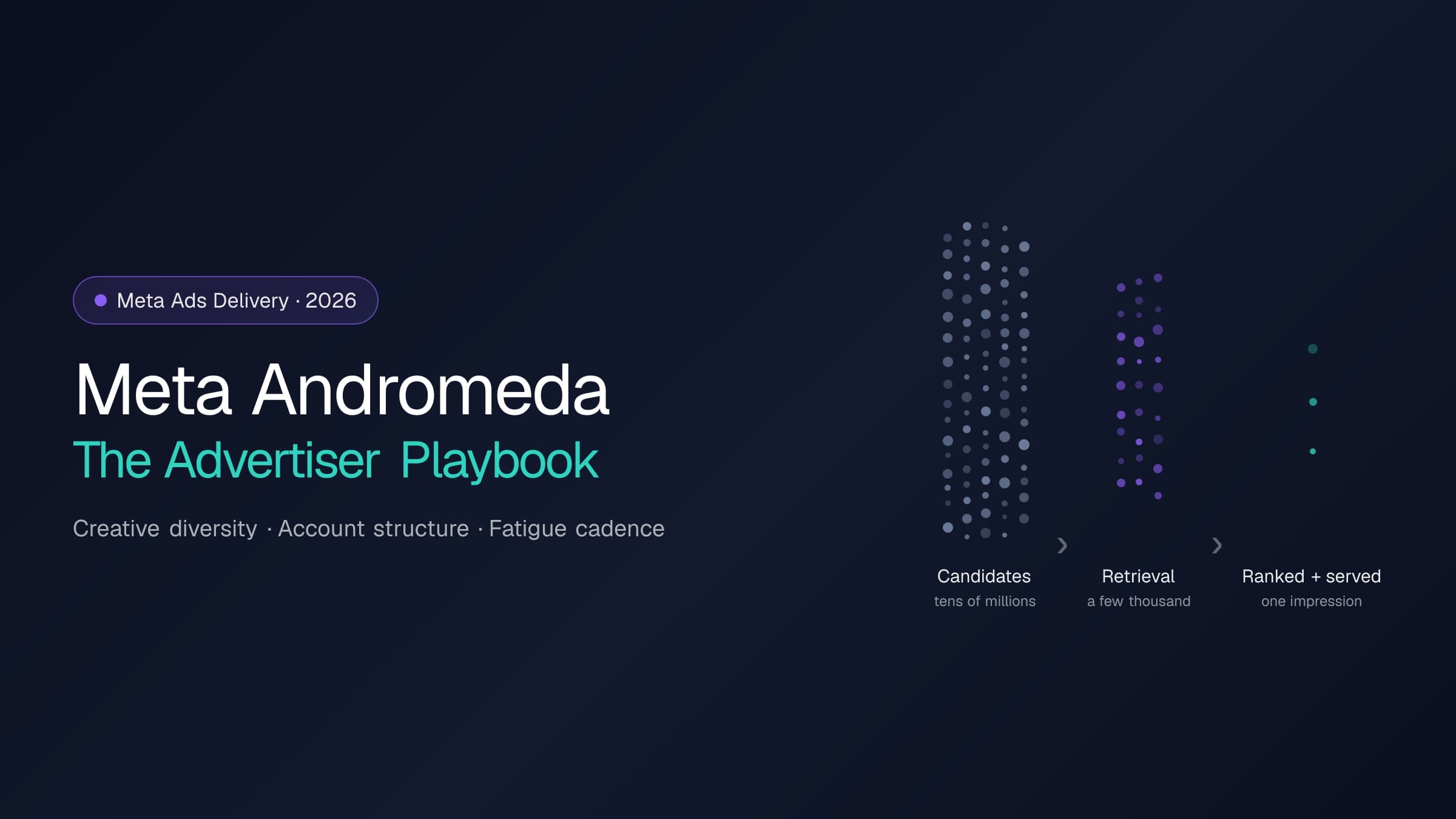
Andromeda rebuilt the retrieval stage of Meta's ads delivery; GEM and the Adaptive Ranking Model rebuilt ranking. Here is what actually changes for an operator: what to feed the system, how to structure the account, and how to run creative rotation — with every platform claim cited to Meta's own disclosures.
AI-powered marketing tools
Meta only flags creative fatigue after cost per result doubles. Catch it 1–2 weeks earlier with frequency, CTR, and CPM thresholds — plus a worked example, detection checklist, and refresh-cadence framework.
AI-powered marketing tools

Create cool, self-contained animated SVGs in your browser — morphing blobs, mesh gradients, waves, orbits, loaders, draw-on lines, and glowing orbs. Customize colors, speed, size, an optional film-grain texture, and baked-in reduced-motion support, then copy the SVG code, copy it as a CSS background, or download a single `.svg`. The animation travels with the file (GPU-friendly CSS keyframes, no JavaScript), so it just plays — landing pages, hero backdrops, loading states, emails, and decks.
Enhance and transform raw screenshots into polished, professional marketing visuals with rounded corners, drop shadows, and elegant backgrounds. Perfect for marketers, product teams, educators, and anyone who needs beautiful screenshots for presentations, social proof, or documentation—no design skills required.

Free fake group chat generator with multi-participant conversations, reactions, and threading. Use it as a fake group chat maker for testimonials, ensemble customer stories, and product social proof — render group chat mockups matching modern messaging UI and download a retina-density PNG with one click.
Animation in digital advertising refers to the art and technical process of creating motion and visual change through sequenced frames or programmatic state transitions. It encompasses techniques ranging from frame-by-frame animation to CSS/JavaScript transitions, 3D rendering, and complex motion graphics. Animation is strategically used to direct attention, demonstrate product features, convey brand personality, and increase engagement through dynamic visual storytelling.
In digital advertising, rendering refers to the computational process of generating photorealistic or stylized imagery using 3D modeling, lighting, and texturing software. Unlike photography or filmed content, rendered images offer complete control over every visual aspect and can visualize products or concepts that don't physically exist. This technique enables creation of consistent product imagery, conceptual visualizations, and dynamic animations that would be impractical or impossible to capture through traditional photography.
How animated SVG works in 2026 — CSS vs SMIL vs WAAPI, the inline-vs-img embedding trap, compositor-only performance, reduced-motion, and what's newly possible.
Short answer: in 2026, the most portable way to animate an SVG is CSS @keyframes baked inside the file — it travels with the asset into landing pages, emails, READMEs, and ad mockups, animates even as an <img>, and stays cheap if you animate only transform and opacity. The two things teams get wrong are the embedding trap (where reduced-motion silently stops working) and per-frame filter cost (animated blur that tanks the frame rate). This guide covers both, plus the newer platform APIs worth watching. You can produce a production-ready asset in seconds with our free SVG Animation Generator.
Motion is one of the cheapest ways to make a marketing surface feel alive — a breathing hero backdrop, a draw-on stat line, an on-brand loading state. But "add an animation" hides a stack of decisions that determine whether the result is a 4 KB asset that plays everywhere or a janky, inaccessible liability. SVG sits in a sweet spot here: it's vector (crisp at any density), text-based (tiny and diffable), and self-contained (the animation can live inside the file). The trade-offs are in how you animate and where you embed.
Raster formats and video are the wrong tool for most UI motion. A looping GIF is heavy and capped at 256 colors; an MP4 needs a player and a poster; a JavaScript animation needs a runtime on the page. An animated SVG is a single, self-contained text file that renders crisply at any resolution and carries its own motion.
The usual high-value placements for marketers: hero backdrops, loading and empty states, draw-on chart reveals in case studies, decorative dividers, and lightweight ad/landing-page accents.
There are four mainstream techniques, and the right choice is mostly about where the asset has to run and how interactive it needs to be.
For the marketing assets above — the kind you hand to a CMS, paste into an email, or drop in a README — CSS keyframes win because they're the only option that keeps the file self-contained and keeps animating in an <img>. SMIL once filled this role, but its uncertain cross-browser future makes it a poor bet for new work. Reserve WAAPI and Lottie for genuinely interactive or designer-driven motion.
The single most common SVG-animation bug isn't visual — it's an accessibility one, and it comes from how the SVG is embedded. The same file behaves differently inline, as an <img>, and as a CSS background-image.
In an <img> (and CSS background) context, the browser deliberately sandboxes the SVG: only a narrow set of media features evaluate, and prefers-reduced-motion is not one of them. So an SVG that correctly bakes a reduced-motion rule will still animate for a reduced-motion user when it's used as an <img> — exactly the population the rule was meant to protect.
The fixes, in order of robustness:
Browsers can run transform and opacity animations on the compositor thread — off the main thread, with no layout or paint — which is why a transform-only loop is essentially free even on mid-tier mobile. The opposite of cheap is animating filters — especially blur — or layout properties.
Concretely, for portable animated SVG:
transform (translate/scale/rotate) and opacity.width/height/x/y/r (layout) or filter (paint) in a loop.This is the same discipline AdSights applies to its own production motion: the homepage's drifting aurora is three transform-only radial-gradient layers with no per-frame blur, gated behind motion-safe, so reduced-motion visitors get a calm static gradient at zero animation cost.
Motion can trigger real discomfort — dizziness, nausea, migraines — for people with vestibular conditions, which is why prefers-reduced-motion exists and why respecting it is part of WCAG's guidance on motion. A complete animated-SVG accessibility story has four parts:
Beyond self-contained loops, the platform has opened up genuinely new motion patterns that pair well with SVG. These are worth piloting behind feature detection rather than assuming everywhere:
Same-document View Transitions are now Baseline-available across modern engines, while scroll-driven animations remain progressive and should be feature-detected. We prototype candidates like these in an internal motion lab — head-to-head, labeled by browser support and reduced-motion behavior — before any of them touch a production surface, which keeps the public site fast and predictable.
You don't need to hand-write keyframes to get this right. Our free SVG Animation Generator bakes in every best practice above:
Animated SVG is one of the highest-leverage, lowest-cost ways to add polish to a marketing surface — if you pick CSS keyframes, embed with the reduced-motion trap in mind, and keep the animation to transform and opacity. Get those three right and you ship motion that's fast, accessible, and works everywhere.
CSS keyframes baked into the SVG mean the animation plays wherever the file lands — inline, an <img> tag, a CSS background, an email, a README, or a design tool — with no extra script.
Vector geometry plus a few keyframes is typically a few kilobytes, and it stays sharp on every display density without exporting @2x/@3x variants.
Animate transform and opacity and the browser composites it on the GPU — no layout, no repaint — so a looping accent costs almost nothing per frame.
Technique | How it works | Best for | Watch out for |
|---|---|---|---|
| CSS @keyframes | Animation defined in CSS, embeddable inside the SVG | Self-contained, portable assets that must run as <img>/inline/background | No timeline scrubbing or pointer interactivity |
| SMIL (<animate>) | Declarative animation elements in the SVG markup | Legacy assets; nothing new | Long-uncertain status, inconsistent support — avoid for new work |
| WAAPI / JS | Web Animations API or a library drives the DOM | Interactivity, scrubbing, path morphing, scroll/gesture sync | Requires the SVG inline + JavaScript on the page |
| Lottie | JSON animation played by a runtime | Complex, designer-authored motion from After Effects | Runtime weight; overkill for simple loops |
A practical rule: if the asset has to survive being pasted somewhere you don't control, use CSS keyframes inside the file. If it lives inside your app and needs to react to input, animate it inline with WAAPI.
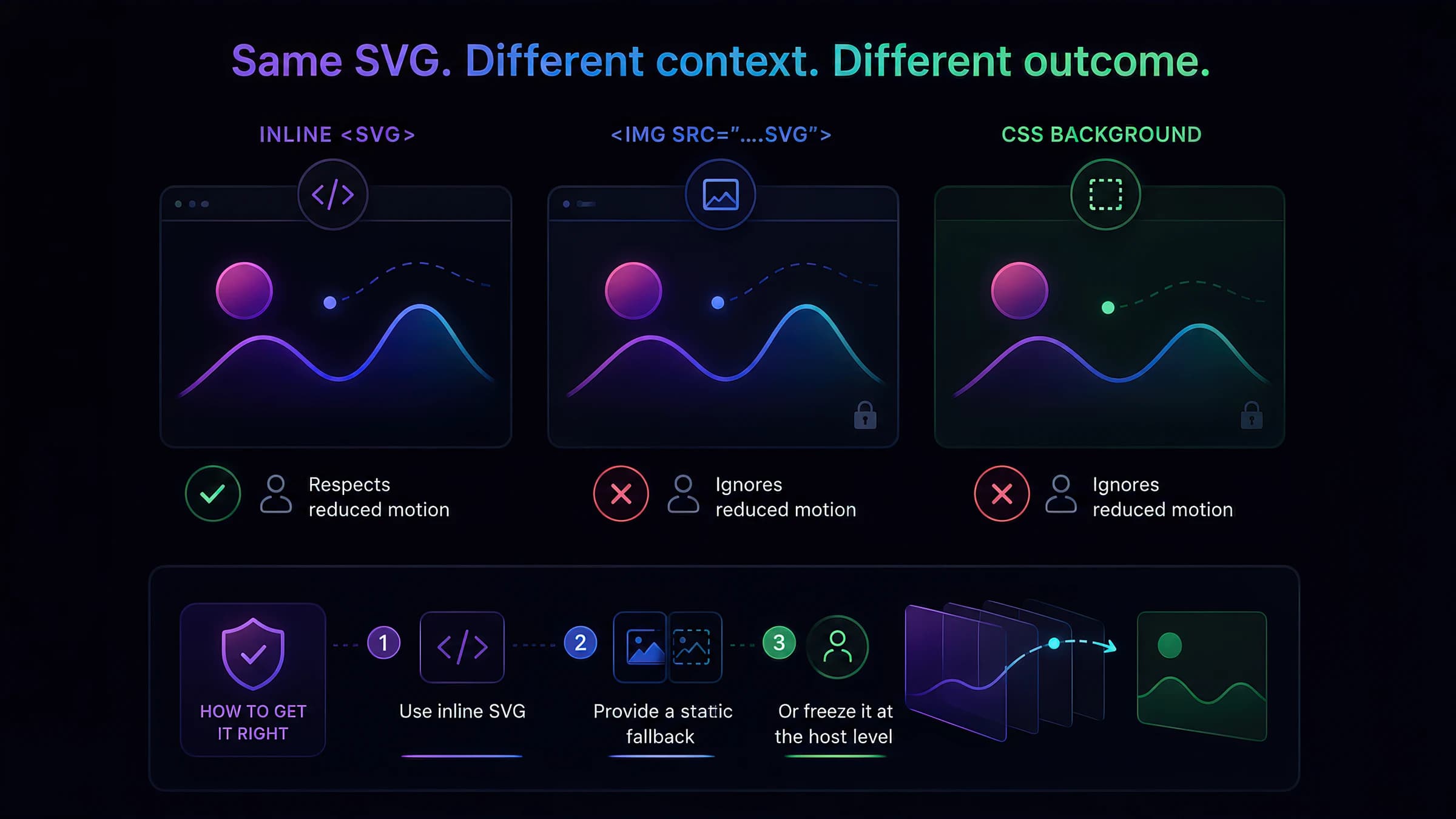
Embed method | CSS @keyframes run? | Internal @media (prefers-reduced-motion) fires? |
|---|---|---|
| Inline <svg> in the document | Yes | Yes — honors the user's preference |
| <img src="…svg"> | Yes | No — media query is sandboxed out |
| CSS background-image: url(…svg) | Yes | No — same sandbox limitation |
Baking a @media (prefers-reduced-motion: reduce) rule into your SVG is necessary but not sufficient. It only fires when the SVG is inline (or in an <object>). For <img> and CSS-background embeds you must either freeze it at the host level or ship a static fallback.
Inline <svg> is the only context where the file's own reduced-motion rule is honored automatically. Prefer it for meaningful, above-the-fold motion.
Pair the animated asset with a frozen first-frame .svg, and swap it in with a host-level @media (prefers-reduced-motion: reduce) rule (e.g. a <picture> source or a background-image override) that the host page CAN evaluate.
If you render the preview yourself, read the user's preference in code and serve the frozen frame — which is exactly how a good generator's own preview behaves.
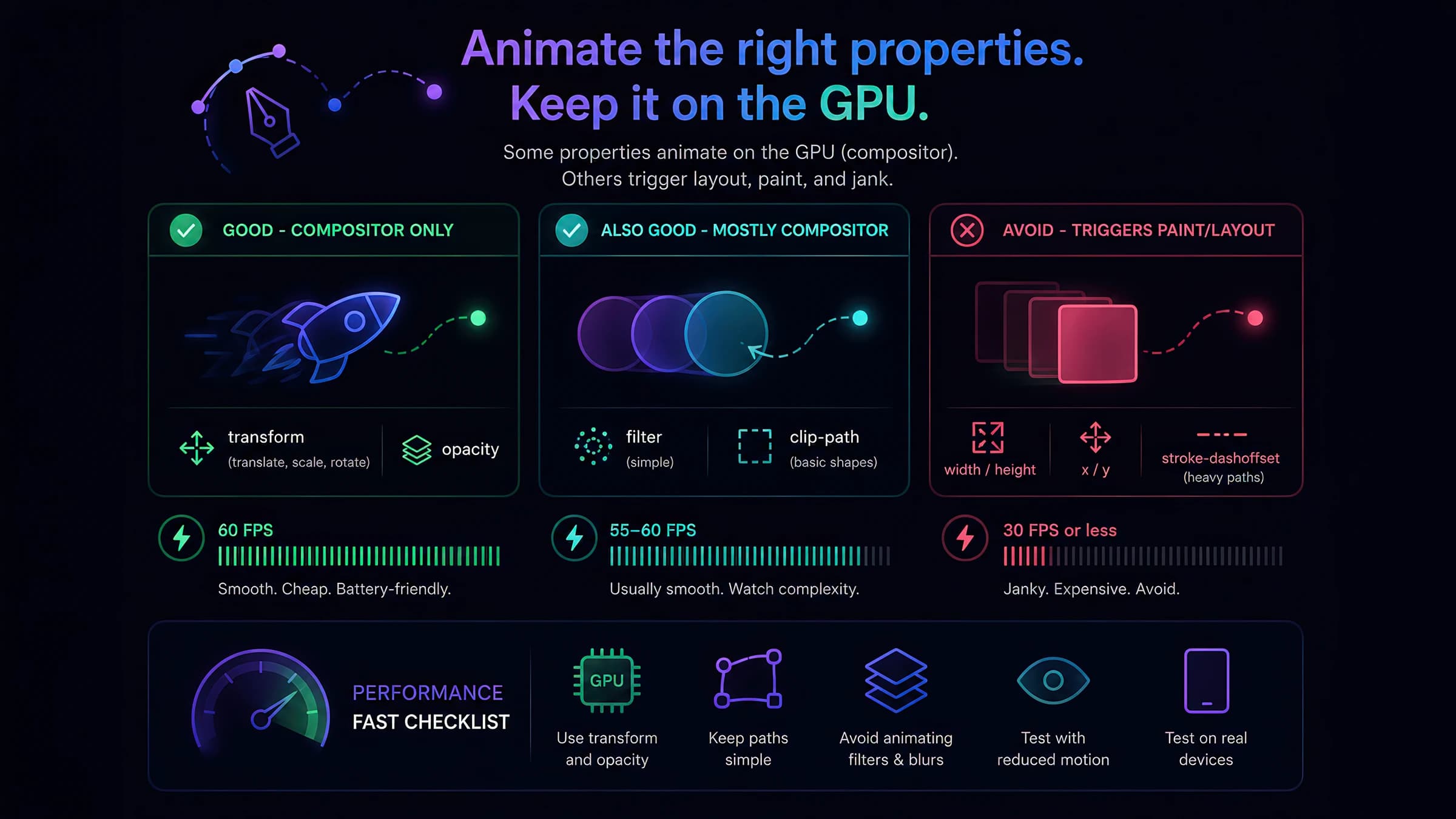
The most common SVG performance mistake is a glow built from an animated feGaussianBlur, or a transform animating inside a <g filter="…">. Both force the browser to re-rasterize the filter region every frame. The fix is almost always to make the glow a static radial-gradient fill and animate only the cheap properties on top of it.
Include @media (prefers-reduced-motion: reduce) { animation: none } so inline embeds self-quiet.
Ship a frozen first frame for <img>/background contexts where the baked rule can't fire.
Decorative SVGs get aria-hidden; meaningful ones get a <title> (and role="img").
If the animation conveys information, that information must also exist in a static state.
Animate between two DOM states (filter/sort/reorder, route changes) with the browser tweening the difference. Same-document view transitions reached Baseline 'newly available' in 2025 — broadly usable, with a graceful no-transition fallback.
Drive an animation's timeline from scroll position or element visibility in pure CSS (animation-timeline) — great for reading-progress and reveal effects. Still rolling out, so gate it behind @supports.
Registering a custom property with a type makes things like gradient angles and conic borders smoothly animatable — effects that were impossible to tween before.
The SVG Animation Generator ships fifteen hand-built presets (morphing blob, mesh gradient, glowing orb, draw-on line, pulse rings, orbit, loaders, and more). Customize colors, speed, size, and an optional film-grain texture, then copy the SVG, copy it as a CSS background (with a reduced-motion override baked in), or download a self-contained .svg — plus a one-click static fallback for <img>/<picture> use. Output is compositor-friendly CSS keyframes only: no JavaScript, no SMIL, no per-frame blur. Browse the rest of our free marketing tools while you're there.

